

Përshkrim
Webandroll OrderFlow is for shops whose orders move through steps: a print shop waiting for proof approval, custom textile, engraving, made-to-order work, or a caterer preparing an event.
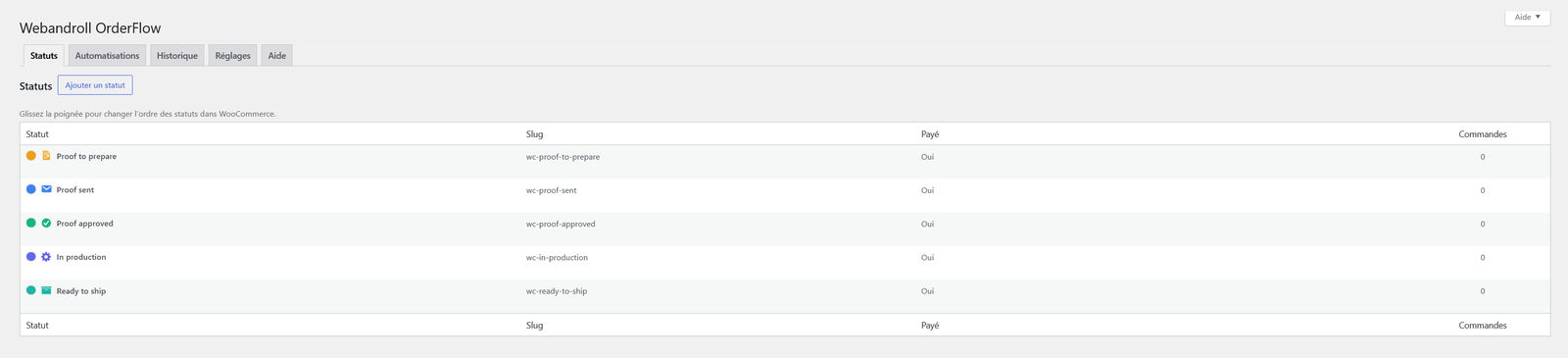
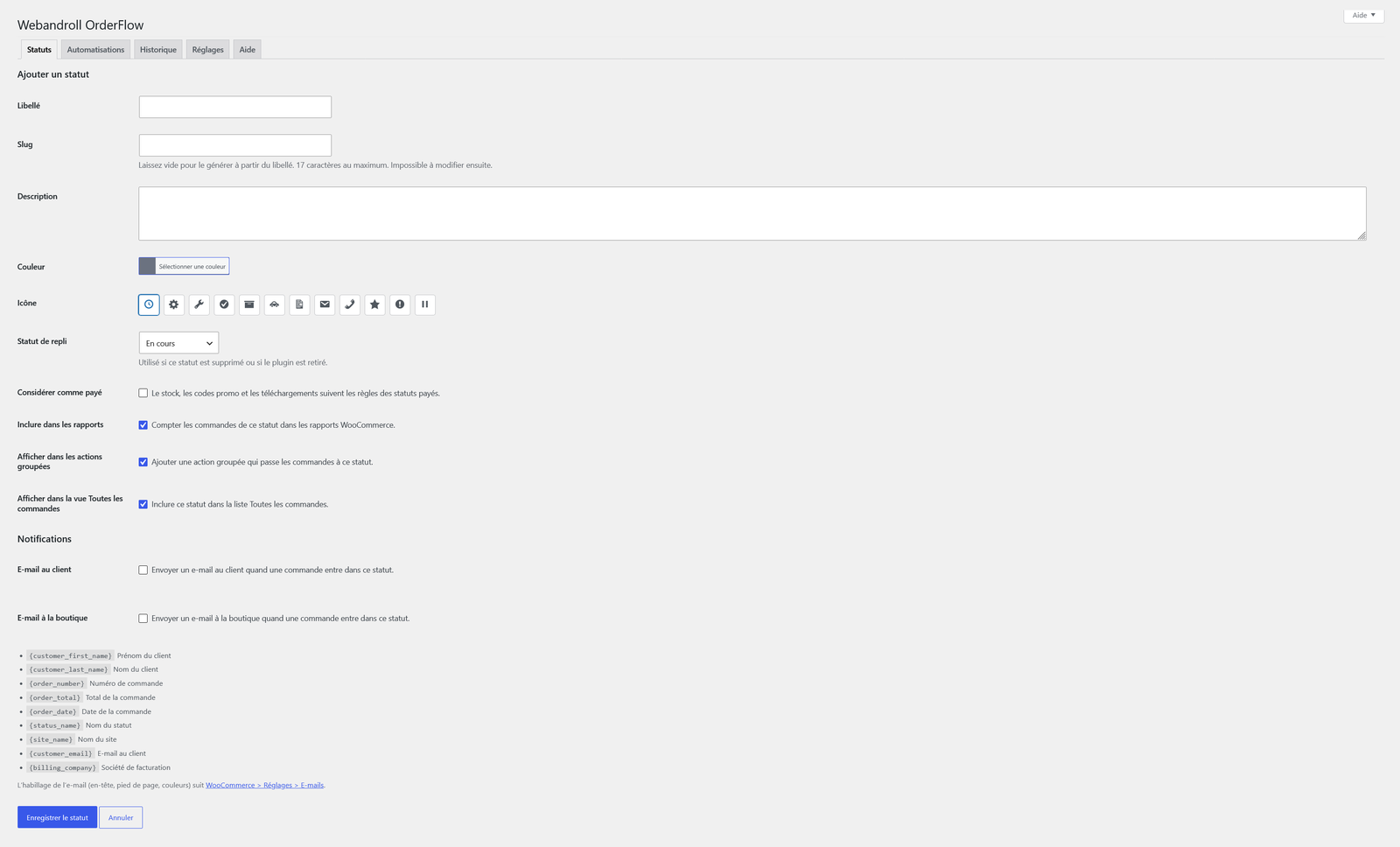
- Unlimited custom order statuses, with a color, an icon, and a native fallback status.
- An email to the customer and an email to the shop for each status, using the WooCommerce email design.
- A status history on the order, with the source of each change.
- Unlimited active automations. Each one can wait, and the wait is checked again when it comes due. Draft automations are unlimited.
- A readable run history that explains why an automation acted or did not.
- An example print-shop workflow (proof approval, production, ready to ship), saved as drafts.
- Compatible with High-Performance Order Storage and the Cart and Checkout blocks.
- French, Spanish, Italian, German (formal and informal) translations included.
External services
This plugin does not connect to any external service and does not send any data outside your site.
Privacy
The status history stores the user ID of the person who changes an order status, together with the previous status, the new status, and the source of the change. This data stays in your site database. Nothing is sent outside your site.
Foto ekrani

Instalim
- Install and activate WooCommerce.
- Upload the plugin folder to
/wp-content/plugins/, or install the zip from the Plugins screen. - Activate Webandroll OrderFlow through the Plugins screen.
- Open WooCommerce > OrderFlow and create your statuses, then your automations.
WooCommerce is required. The plugin does not start without it.
PBR
-
Is OrderFlow compatible with HPOS?
-
Yes. OrderFlow declares compatibility with High-Performance Order Storage (custom order tables) and with the Cart and Checkout blocks. It reads and updates orders through the WooCommerce order API.
-
What happens to orders when I delete a status?
-
You choose another status, and the orders are moved to it in the background. Customers are not emailed for that move. A status cannot be deleted while orders still use it.
-
Why does a delayed reminder leave late?
-
Delays are scheduled with Action Scheduler, which WooCommerce runs with the normal site traffic. On a shop with little traffic, set up a real system cron so scheduled actions run on time. You can see them under WooCommerce > Status > Scheduled Actions.
-
How do I uninstall cleanly?
-
Orders keep their custom status after the plugin is deleted, and they can disappear from some WooCommerce views. On the Statuses tab, delete each custom status first so its orders move to a native status. In Settings, turn on “Delete data on uninstall” only if you also want custom statuses, automations, history, and settings removed.
-
Where can I see why an automation did not act?
-
Open the History tab. Each entry says what the automation did, or why it was skipped. For more detail, turn on Debug logging in Settings. The lines are written to WooCommerce > Status > Logs.
Shqyrtime
Për këtë shtojcë s’ka shqyrtime.
Kontribues & Zhvillues
“Webandroll OrderFlow: Custom Order Statuses and Automation for WooCommerce” është software me burim të hapur. Në këtë shtojcë kanë dhënë ndihmesë personat vijues.
Kontribues
Ju intereson zhvillimi?
Shfletoni kodin, shkarkoni depon SVN, ose pajtohuni përmes RSS-je te regjistri i zhvillimeve.
Regjistër ndryshimesh
1.1.0
- New: hooks for add-ons (admin tabs, automation editor, history box, engine).
- Fix: editing an automation no longer drops extra conditions or actions created by an add-on.
- Fix: the example workflow is now translated.
- Tweak: clearer plugin name.
1.0.0
- Initial release.