

Përshkrim
BinsOptimizer is the fastest, most private way to optimize images in WordPress. Unlike cloud-based image optimizers, BinsOptimizer converts and compresses your images directly in the browser — before they ever hit your server. No API keys, no monthly fees, no privacy risks.
Every JPEG and PNG you upload is automatically converted to WebP — the modern image format recommended by Google — and resized to your chosen maximum dimension. The result is smaller file sizes, faster page loads, and better Core Web Vitals scores, all without touching your server resources.
Why choose BinsOptimizer over other image optimizer plugins?
Most WordPress image optimization plugins send your images to external cloud servers for processing, which is slow, costs money, and raises data privacy concerns. BinsOptimizer does everything on the user’s own machine using modern browser APIs, making it instant, free, and completely private.
Video Tutorial
Key Features
- Automatic WebP Conversion: Convert JPEG and PNG images to WebP on upload for up to 80% smaller file sizes and better Google PageSpeed scores.
- Client-Side Image Compression: All image processing happens in the browser — zero server load, zero cloud costs.
- Smart Image Resizing: Automatically downscale oversized images to your chosen maximum width or height during upload.
- No API Key Required: Fully self-contained. No third-party services, no subscriptions, no limits.
- 100% Private: Your images are never sent to an external server. Everything stays on your machine until the optimized file is uploaded.
- Zero Queue, Instant Results: Optimization happens in real time as you upload — no background jobs or waiting.
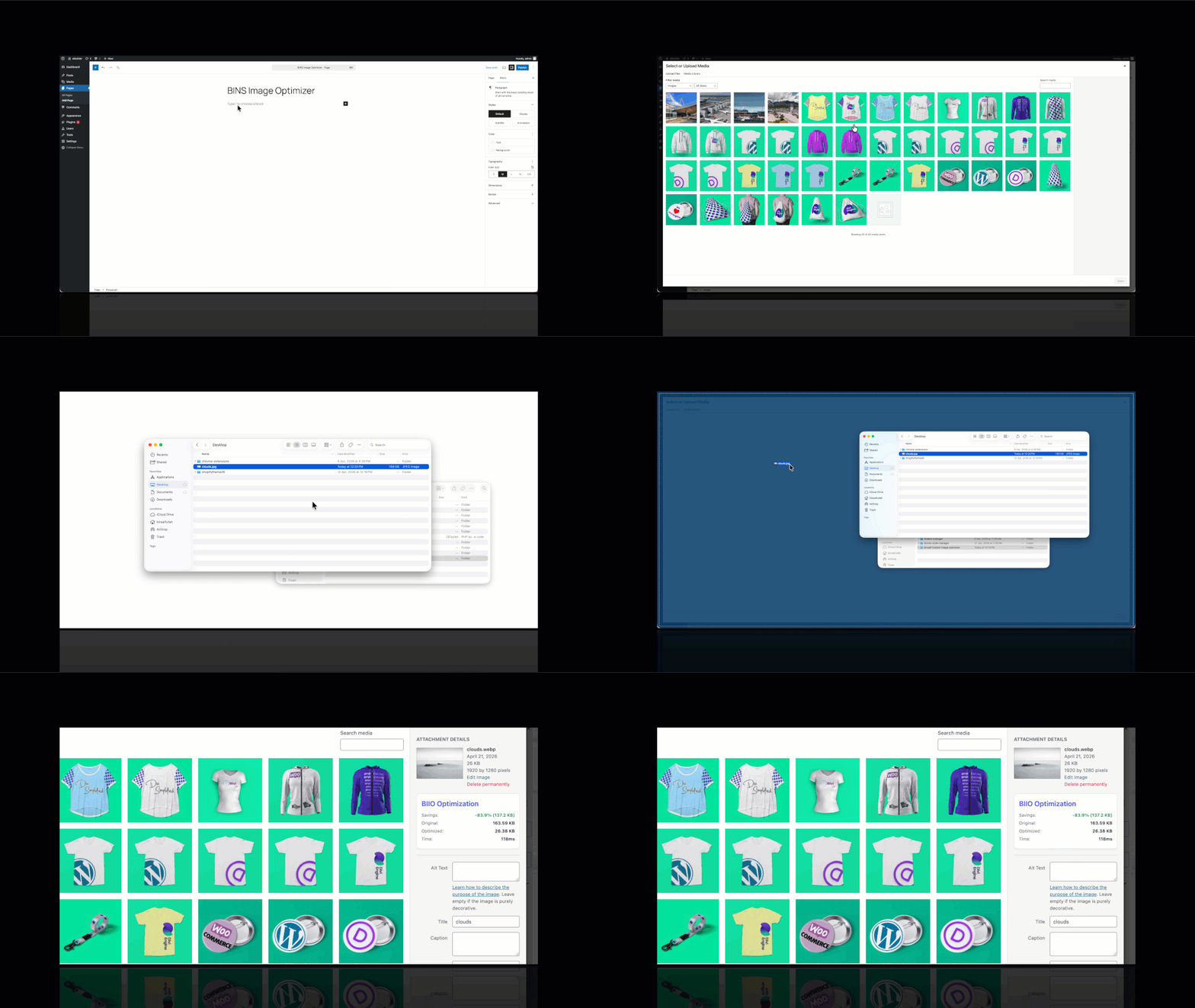
- Media Library Integration: View compression savings, original vs. optimized file sizes, and conversion time directly in the WordPress Media Library.
- Works Everywhere in WordPress: Compatible with the Block Editor (Gutenberg), Classic Editor, drag-and-drop uploads, and featured image pickers.
Foto ekrani
Blloqe
Kjo shtojcë furnizon 1 bllok.
- BIIO Admin
Instalim
- Upload the plugin files to the
/wp-content/plugins/binsaif-instant-image-optimizerdirectory, or install the plugin through the WordPress plugins screen directly. - Activate the plugin through the ‘Plugins’ screen in WordPress.
- Navigate to Settings > BinsOptimizer to configure your compression levels and constraints.
- Start uploading images to your Media Library or Posts – they will be optimized automatically!
PBR
-
Does this require an API key?
-
No. Since all optimization happens in your browser, there are no external services to connect to and no API keys required.
-
Does it optimize existing images?
-
Currently, the plugin focuses on optimizing images at the moment of upload. Bulk optimization for your existing library is planned for a future update.
-
Is it compatible with other media plugins?
-
Yes, it works by intercepting the upload process at the browser level, making it compatible with most WordPress themes and plugins that use the standard WordPress media uploader.
Shqyrtime
Për këtë shtojcë s’ka shqyrtime.
Kontribues & Zhvillues
“BinsOptimizer – Instant Image Optimizer, Compression & WebP Converter” është software me burim të hapur. Në këtë shtojcë kanë dhënë ndihmesë personat vijues.
Kontribues
Përkthejeni “BinsOptimizer – Instant Image Optimizer, Compression & WebP Converter” në gjuhën tuaj.
Ju intereson zhvillimi?
Shfletoni kodin, shkarkoni depon SVN, ose pajtohuni përmes RSS-je te regjistri i zhvillimeve.
Regjistër ndryshimesh
1.2.0
- New: Optimization column added to the Media Library list view — each attachment now shows a colour-coded badge displaying the savings percentage and output format (e.g. “42.3% webp”).
- New: Hovering the savings badge reveals a tooltip with the original file size, optimised file size, and total bytes saved.
- New: The Optimization column is fully sortable — click the column header to rank media items from most-saved to least-saved (or vice versa).
- New: Unoptimised attachments display a neutral “Not optimized” badge so the column is informative for every item in the library.
- Improvement: Savings percentage is now also persisted as a dedicated post meta key (
_biio_savings) alongside the existing attachment metadata, enabling reliable numeric sorting without serialized-field parsing.
1.1.0
- Fix: Media Library stats panel never rendered in the single-column Details view due to incorrect Backbone template override — switched to a
render()override matching the correct pattern. - Fix: Fatal JavaScript TypeError when
conversionTimeis absent from stored metadata — added null guard before calling.toFixed(). - Fix:
canvas.getContext('2d')could return null for very large images — added explicit null check before drawing to canvas. - Fix: Metadata queue stored in transients was vulnerable to object-cache eviction — migrated to a persistent WordPress option (
biio_metadata_queue). - Fix: Typo in save-error button label “Fied to Save” corrected to “Failed to Save”.
- Fix: Save success button label showed “Saving Changes” after the save had already completed — corrected to “Saved!”.
- Fix: Redundant
__biio_convertedevent flag removed; a singlebiio_convertedflag is sufficient to prevent re-processing loops. - Fix: Removed dead
is_admin()guard insideadmin_enqueue_scriptshook (the hook already only fires in admin context). - Improvement: Removed all debug
console.log/console.warnstatements from production JS bundles. - Improvement: Deactivation hook now cleans up the persistent option queue instead of a transient.
1.0.0
- Initial release.
- Browser-based WebP conversion.
- Client-side image resizing.
- Premium Admin Dashboard.