
Përshkrim
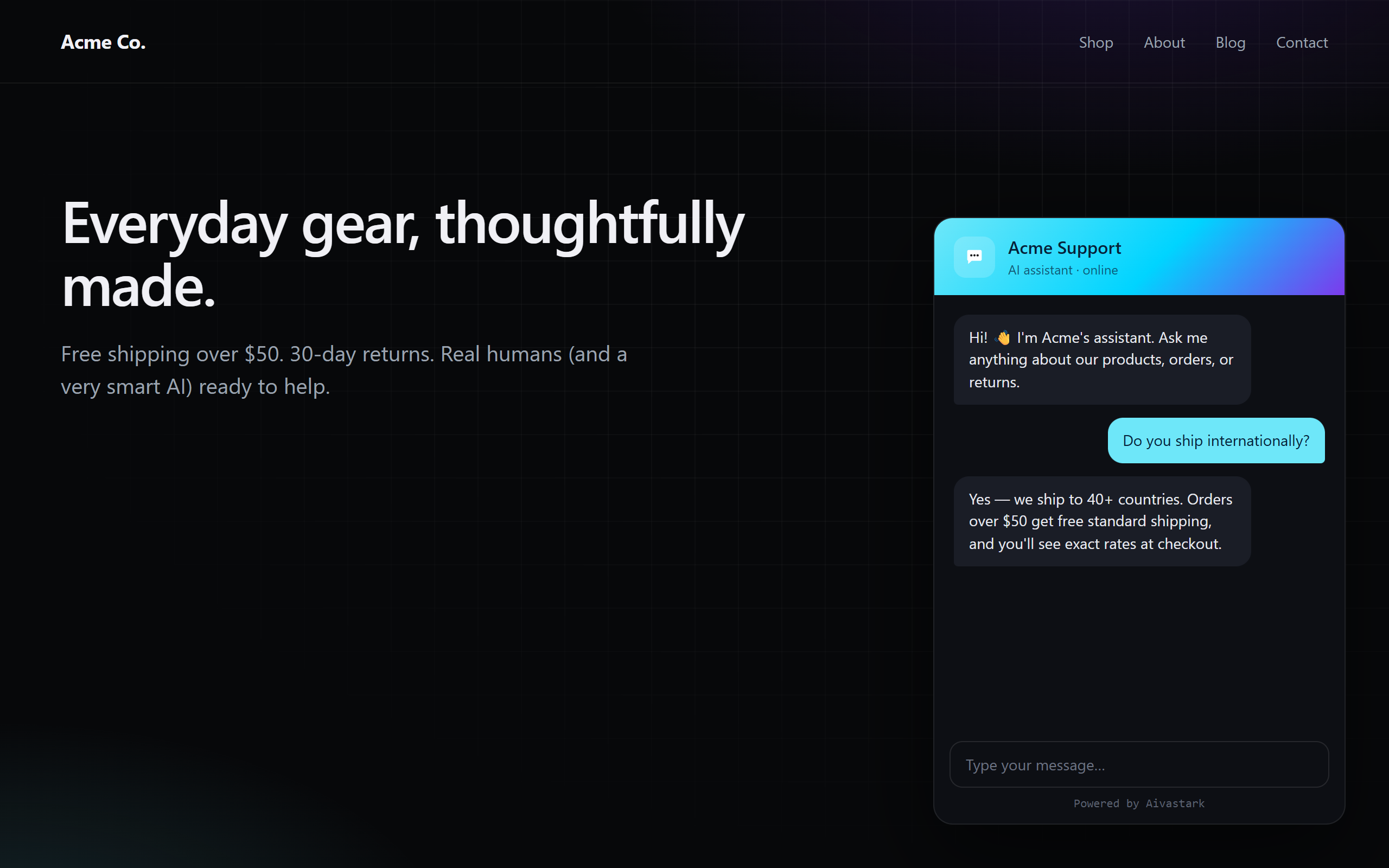
Aivastark Widget adds the Aivastark AI support chat widget to your WordPress site in seconds. Trained on your own knowledge base, it answers visitor questions 24/7 and hands off to a human agent when needed.
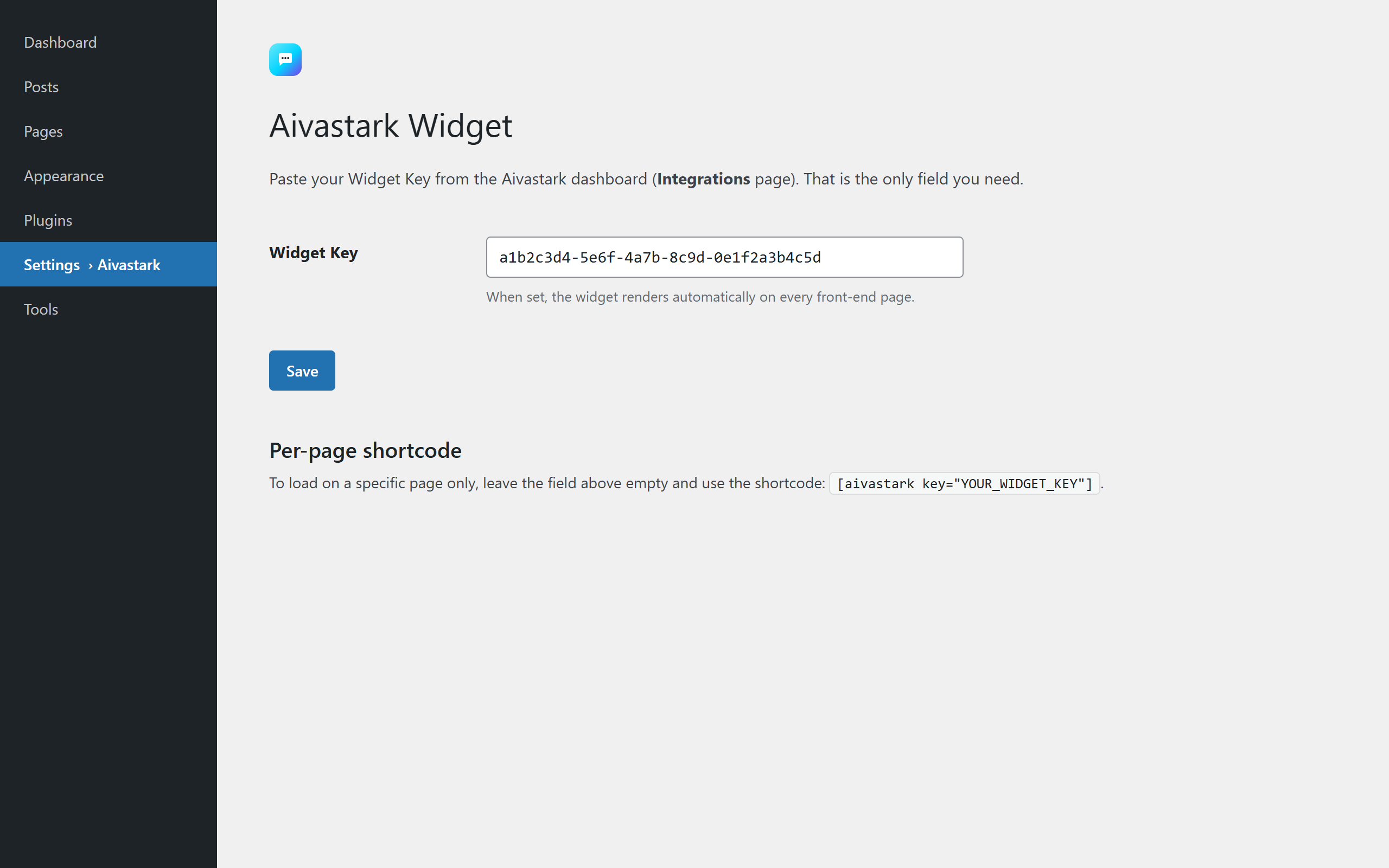
One field. That’s it. Paste your Widget Key from the Aivastark dashboard and the widget is live site-wide. You can also use the [aivastark key="..."] shortcode on individual pages.
Customize without leaving WordPress. Click Connect once to securely link your site to your Aivastark project, then open Aivastark Customize Widget to edit the widget’s content, colors, AI behavior, and home screen — the full editor, right inside wp-admin. No second login each time.
Features
- AI chat trained on your knowledge base (PDFs, URLs, documents)
- Fully white-label — your brand, your colors, your logo
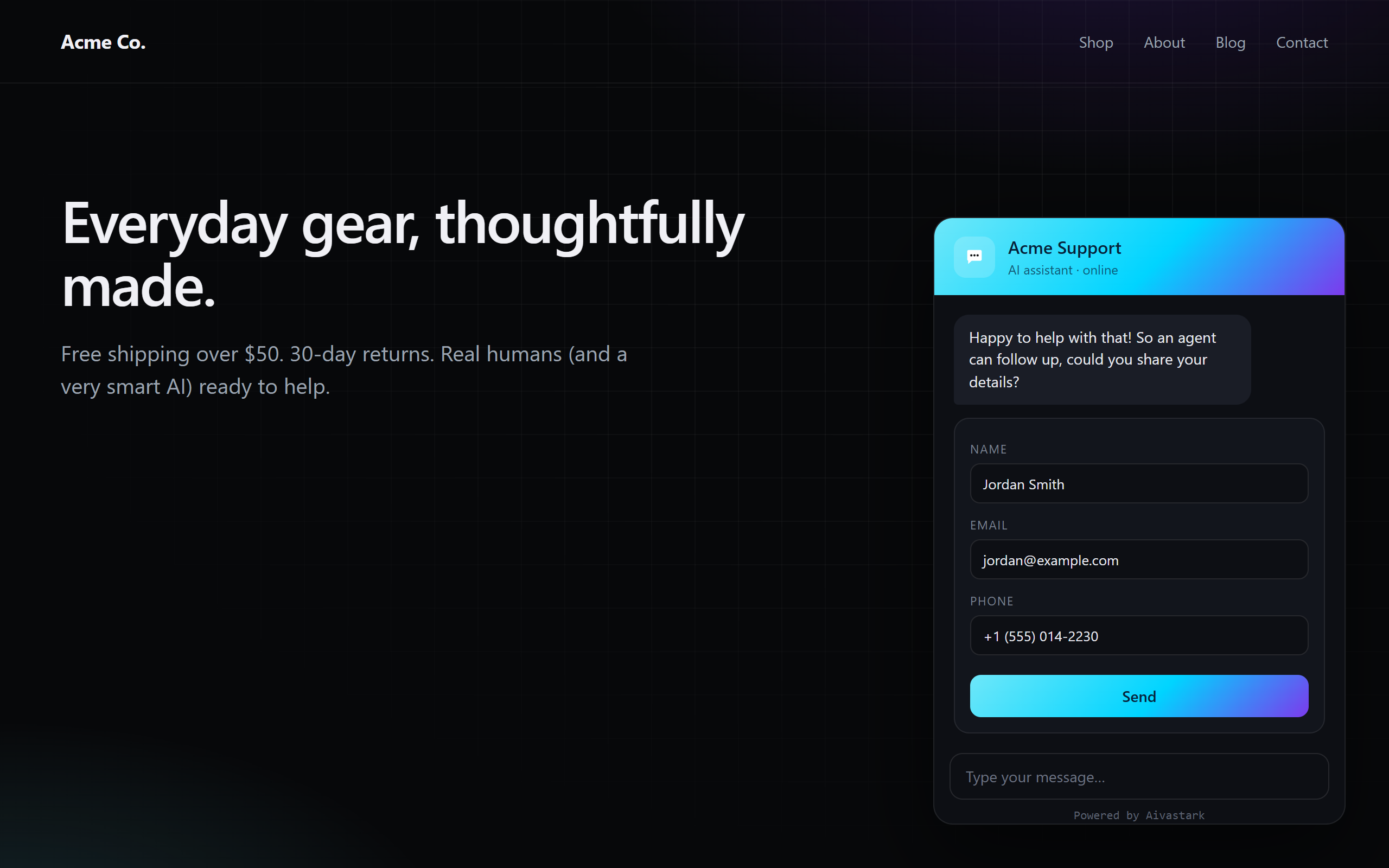
- Lead capture (trigger by message count, keyword, idle time, or manual)
- Live agent handoff via realtime notifications
- In-WordPress widget customization via a secure one-click connection (Content, Style, AI, Designer)
- Or customize from the Aivastark dashboard — your choice
- Domain whitelisting enforced server-side
- Conversation and rate limits enforced server-side
- Markdown-formatted responses
- Lightweight — the widget is loaded asynchronously and never blocks page rendering
Get a Widget Key
You need a free Aivastark account. Sign up at aivastark.com, create a project, and copy the Widget Key from the Integrations page.
Third-party service notice
This plugin is a client for the Aivastark hosted service. To function, it loads the widget script from https://www.aivastark.com/widget.js and chat conversations are processed by the Aivastark backend. Full disclosure of every endpoint and the data sent is in the External services section below.
By installing this plugin you agree to the Aivastark Terms of Service and Privacy Policy.
External services
This plugin connects to the Aivastark hosted service to function. Without this connection there is no chat widget — the plugin cannot work locally only.
1. Widget script (CDN)
- What it does: Loads the JavaScript file that renders the chat widget on your site’s front-end.
- Endpoint:
https://www.aivastark.com/widget.js - When: On every front-end page load where the Widget Key is configured (site-wide or via shortcode).
- Data sent: A standard browser HTTP GET — User-Agent, Referer, IP address. No site content, no visitor PII.
2. Chat backend (runtime, browser Aivastark API)
- What it does: Handles the chat conversation between the visitor and the AI assistant.
- Endpoint:
https://www.aivastark.com/api/*(subdomains may be used; all requests originate from the visitor’s browser, not from the WordPress server). - When: Only when a visitor actively opens the widget and sends a message. No requests are made until the visitor interacts.
- Data sent: The visitor’s chat messages, the Widget Key (identifies your project), an anonymous session ID, the page URL the chat was opened from, and standard browser headers. If the visitor submits a lead form inside the widget, the fields they enter (typically name, email, phone) are also sent.
3. Pairing & customization (optional — only if you click Connect)
- What it does: Securely links this WordPress site to one Aivastark project (OAuth Authorization Code + PKCE) and lets you open the widget editor inside wp-admin. The site stores a scoped, revocable access token; only a hashed copy is kept on the server. The token is used to mint a one-time sign-in ticket each time you open the editor.
- Endpoints:
https://xckrihmmdwddvcwohvaz.supabase.co/functions/v1/wordpress-tokenand.../wordpress-sso(called from your WordPress server). The connection-approval pagehttps://www.aivastark.com/authorize/wordpressand the editorhttps://www.aivastark.com/embed/wp/playgroundare loaded in your browser (the latter inside an iframe in wp-admin). - When: Only after you click Connect (the approval page) and when you open Aivastark Customize Widget (the editor iframe + ticket). Nothing is sent until you opt in by connecting.
- Data sent: Your site URL, the chosen Aivastark project id, and the scoped token. While the editor is open, the changes you make (widget appearance and AI settings) are saved to your Aivastark project. No site content or visitor data is sent by this flow.
4. Deactivation feedback (optional — only if you click “Submit & Deactivate”)
- What it does: When you deactivate the plugin, an optional prompt asks why. If you choose to submit, your selected reason, optional comment, and the email shown (your WordPress account email) are sent to Aivastark to help improve the product.
- Endpoint:
https://xckrihmmdwddvcwohvaz.supabase.co/functions/v1/wordpress-feedback(called from your WordPress server). - When: Only when you click Submit & Deactivate in the feedback prompt. Clicking Skip & Deactivate or Cancel sends nothing.
- Data sent: The reason you selected, your optional comment, the email shown in the prompt, your site URL, the plugin version, and your WordPress version. No site content or visitor data.
Service provider
- Provider: Aivastark
- Terms of Service: https://www.aivastark.com/terms
- Privacy Policy: https://www.aivastark.com/privacy
Foto ekrani
Instalim
- Upload the plugin
.zipfile to/wp-content/plugins/or install it via Plugins Add New Upload Plugin. - Activate Aivastark Widget through the Plugins menu in WordPress.
- Go to Settings Aivastark Widget.
- Paste your Widget Key and click Save.
- The widget is now live on every front-end page.
To use it on a single page instead, leave the Widget Key field empty and paste the shortcode [aivastark key="YOUR_WIDGET_KEY"] where you want the widget to load.
PBR
-
Do I need any other settings, API keys, or URLs?
-
No. Version 2.0 collapsed the old four-field config into a single Widget Key. Everything else (API endpoint, project settings, theme) is resolved automatically from the key.
-
Where do I get a Widget Key?
-
Create a free account at aivastark.com, create a project, and copy the Widget Key from the Integrations page in your dashboard.
-
Is the widget served from WordPress or a CDN?
-
The widget script is served from the Aivastark CDN (
https://www.aivastark.com/widget.js) by default. You can self-host by filteringaivastark_widget_script_url. -
Can I self-host the widget script?
-
Yes. Add this to your theme or a custom plugin:
add_filter( 'aivastark_widget_script_url', function () { return 'https://your-cdn.com/widget.js'; } ); -
Does the widget slow down my pages?
-
No. The widget script is registered with WordPress, loaded in the footer, and never blocks rendering. Paint and interaction metrics are not affected.
-
What data is sent to Aivastark?
-
Only conversation messages typed by visitors who open the widget, plus the Widget Key (to identify your project) and the visitor’s session ID. No page content, no cookies on the host site, and no visitor tracking beyond what is needed for the chat session itself. See the External services section for the full breakdown.
-
Does this plugin work with caching plugins?
-
Yes. The widget config is inlined per-request; caching plugins that preserve
<script>tags inwp_footerare fully compatible. -
Can I customize the widget from WordPress instead of the dashboard?
-
Yes. Go to Aivastark Home and click Connect, approve the connection in your Aivastark account (one time), then open Aivastark Customize Widget. The full editor (Content, Style, AI, Designer) loads right inside wp-admin and your changes save to your project. You can disconnect anytime from the Home page.
-
Is connecting required?
-
No. Connecting is optional — it only adds in-WordPress customization. If you prefer, paste your Widget Key in Aivastark Settings (or use the shortcode) and skip Connect entirely; the widget works exactly as before.
-
How do I remove all data this plugin stored when I delete it?
-
Use Plugins Delete in WordPress. The bundled
uninstall.phpremoves the plugin’s options (aivastark_widget_optionsand, if you connected, theaivastark_widget_secretthat holds the scoped token). No tables, no extra rows. Disconnecting first also revokes the token on the server.
Shqyrtime
Për këtë shtojcë s’ka shqyrtime.
Kontribues & Zhvillues
“Aivastark Widget” është software me burim të hapur. Në këtë shtojcë kanë dhënë ndihmesë personat vijues.
Kontribues
Përkthejeni “Aivastark Widget” në gjuhën tuaj.
Ju intereson zhvillimi?
Shfletoni kodin, shkarkoni depon SVN, ose pajtohuni përmes RSS-je te regjistri i zhvillimeve.
Regjistër ndryshimesh
2.3.0
- Added: a short, optional feedback prompt when you deactivate the plugin from the Plugins screen — pick a reason, add a comment, and submit, or skip entirely. It helps us improve Aivastark. Nothing is sent unless you click Submit & Deactivate, and feedback never blocks or delays deactivation.
2.2.0
- Added: customize your widget without leaving WordPress. Click Connect (one-click, OAuth + PKCE) to securely link your site to an Aivastark project, then open Aivastark Customize Widget to edit Content, Style, AI, and Designer in an embedded editor. Disconnect anytime — the token is revoked server-side and stored only as a hash.
- Added: a top-level Aivastark admin menu (Home / Customize Widget / Settings) replacing the single Settings page.
- Changed: the plugin is now organized into
includes/andadmin/files. Front-end behavior is unchanged — the[aivastark]shortcode and site-wide rendering work exactly as in 2.1.x, and an unconnected site behaves identically to before. - Note: connecting auto-fills the Widget Key from the linked project if it was empty, so the widget goes live immediately.
2.1.6
- Fixed: WordPress (and other CMS) themes were leaking CSS into the widget — tab bar background turned theme-coloured, SVG icons (mic, image, tab icons) disappeared because
currentColorresolved to the theme’s text colour. Wrapped the entire widget in a Shadow DOM so host-page styles can no longer reach widget elements. The widget now renders identically across WordPress, Shopify, and bare HTML pages.
2.1.5
- Fixed: dashboard customisations (accent, name, logo, welcome message, suggested questions) silently failed to apply because the bootstrap path called the apply routine before the inner
WIDGET_SKINSconst had been initialised, throwing a temporal-dead-zoneReferenceError(“Cannot access ‘se’ before initialization”) that aborted the rest of the customisation. The apply call is now deferred to a microtask, so it runs after every const/function declaration in the IIFE has initialised.
2.1.4
- Bumped widget script version so customers pull a CDN copy that bypasses any stale edge-cached widget-config response (cache-busted per page load) and surfaces apply errors / config diagnostics in the browser console for debugging.
2.1.3
- Bumped widget script version so existing installs pull the latest CDN copy that reliably applies dashboard customisations (accent colour, logo, name, welcome message, suggested questions, FAQs).
2.1.2
- Fixed: site-wide widget loader silently did nothing on activation. The auto-enqueue was hooked on
wp_footerpriority 100, which fires after WordPress prints footer scripts at priority 20, so the script was enqueued too late to render. Moved the auto-enqueue towp_enqueue_scripts. The shortcode form was unaffected.
2.1.1
- Fixed: separated
Plugin URI(nowaivastark.com/wordpress-plugin) fromAuthor URIto satisfy WordPress.org submission requirements. No functional changes.
2.1.0
- Added
uninstall.phpto clean up the plugin’s option when deleted. - Hardened
$_POSThandling on the settings page (unslash + sanitize before any comparison or use). - Added the WordPress.org-required External services disclosure section to readme.
- Added an explicit third-party service notice in the plugin description.
- Bumped Tested up to to WordPress 6.8.
2.0.0
- Breaking: Single-field setup. Widget Key is now the only required setting. Supabase URL / Anon Key / Widget.js URL fields have been removed — they are resolved server-side from the key.
- Switched to
wp_enqueue_scriptandwp_add_inline_scriptfor WP.org compliance. - Added
aivastark_widget_script_urlfilter for self-hosted widget scripts. - Added translation support (text domain
aivastark-widget). - Dropped the bundled copy of
widget.js— the CDN copy is now always used by default.
0.1.0
- Initial release.