

Përshkrim
AI Content Bridge generates complete, publish-ready content from a short brief — a full article or page, SEO metadata, an optional featured image and relevant video embeds — and publishes it to your site. You don’t need any AI API keys of your own: generation runs on the AI Content Bridge service.
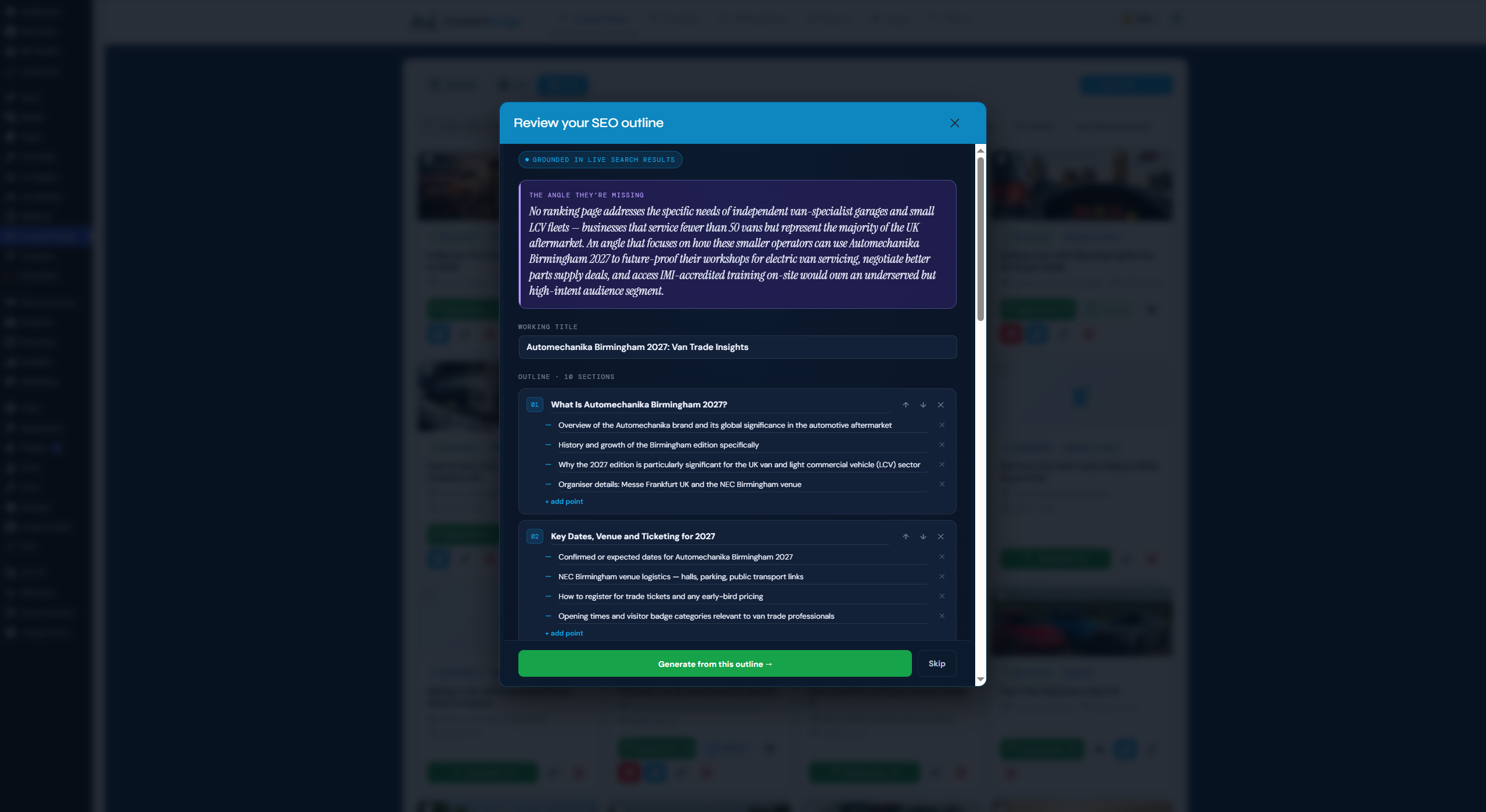
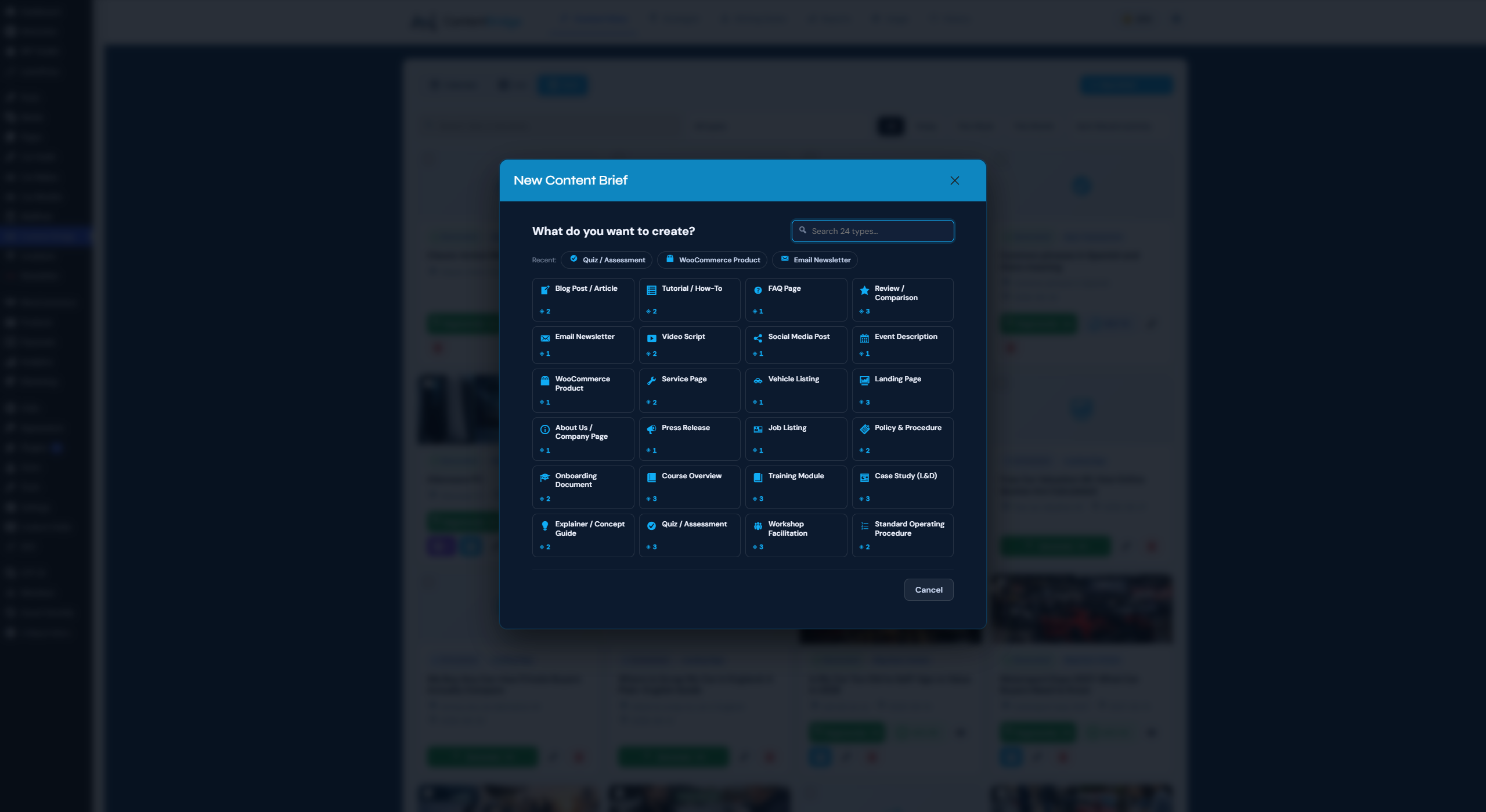
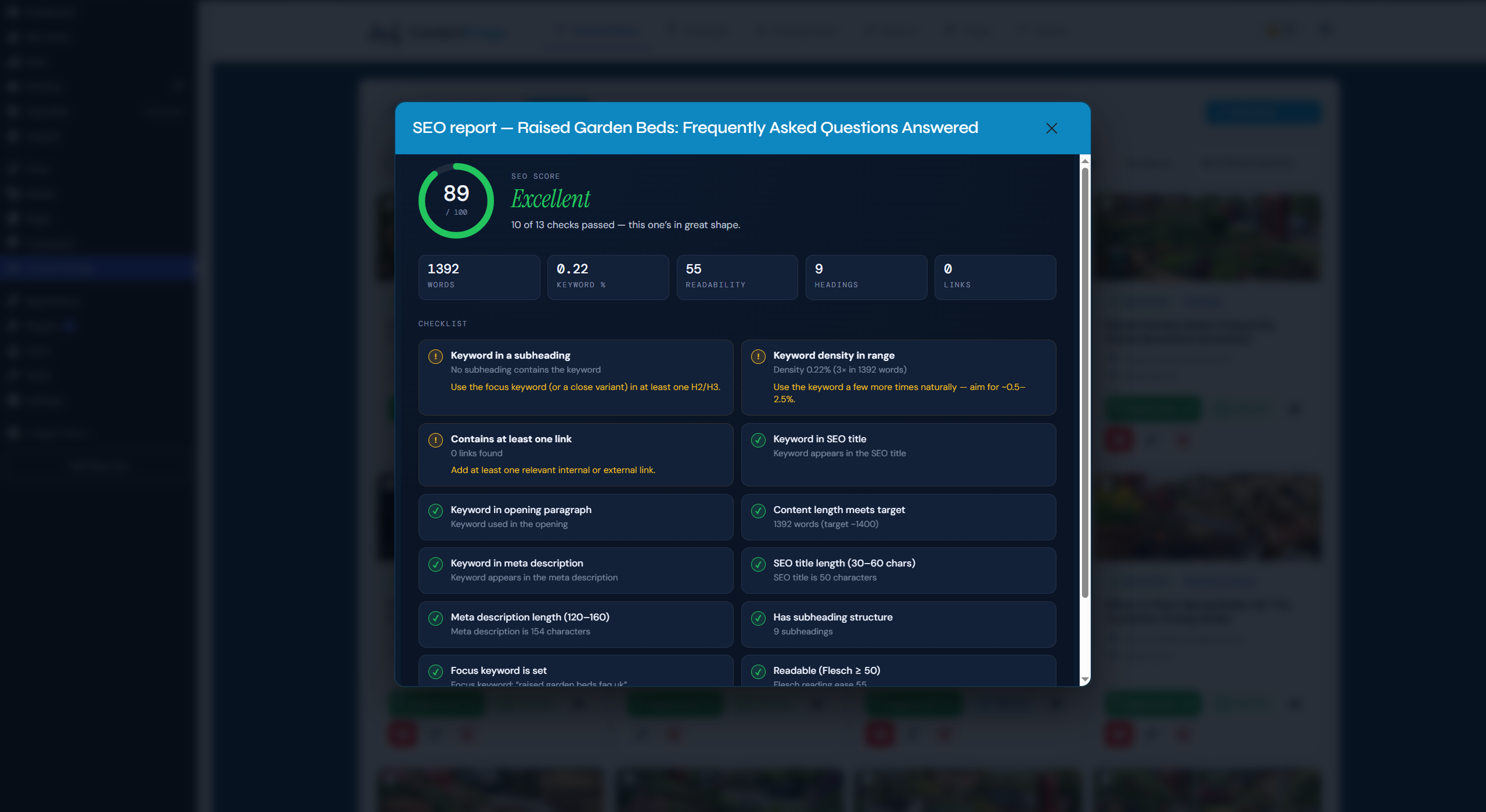
It includes 24 purpose-built content types across marketing, commerce, business and learning & development, a built-in SEO score on every piece, an editable, search-grounded outline step for keyword-led pages, and reusable writing-style profiles so your content stays on-brand.
Plan a topic cluster, not just a post
Point the Content Strategist at a page you already have — a service page, a category page, a guide — and it plans the supporting posts that page is missing, then dates them into a calendar you can edit before anything is created. As each supporting post is generated it links back up to that page naturally, inside the copy, using anchor text that fits the sentence. Add the [content_cluster] shortcode to the page itself and it lists its supporting posts automatically as they publish.
That is the hub-and-spoke structure search engines reward, built for real rather than drawn on a diagram — and there is no monthly cap on how many clusters you plan.
Illustrated articles, not walls of text
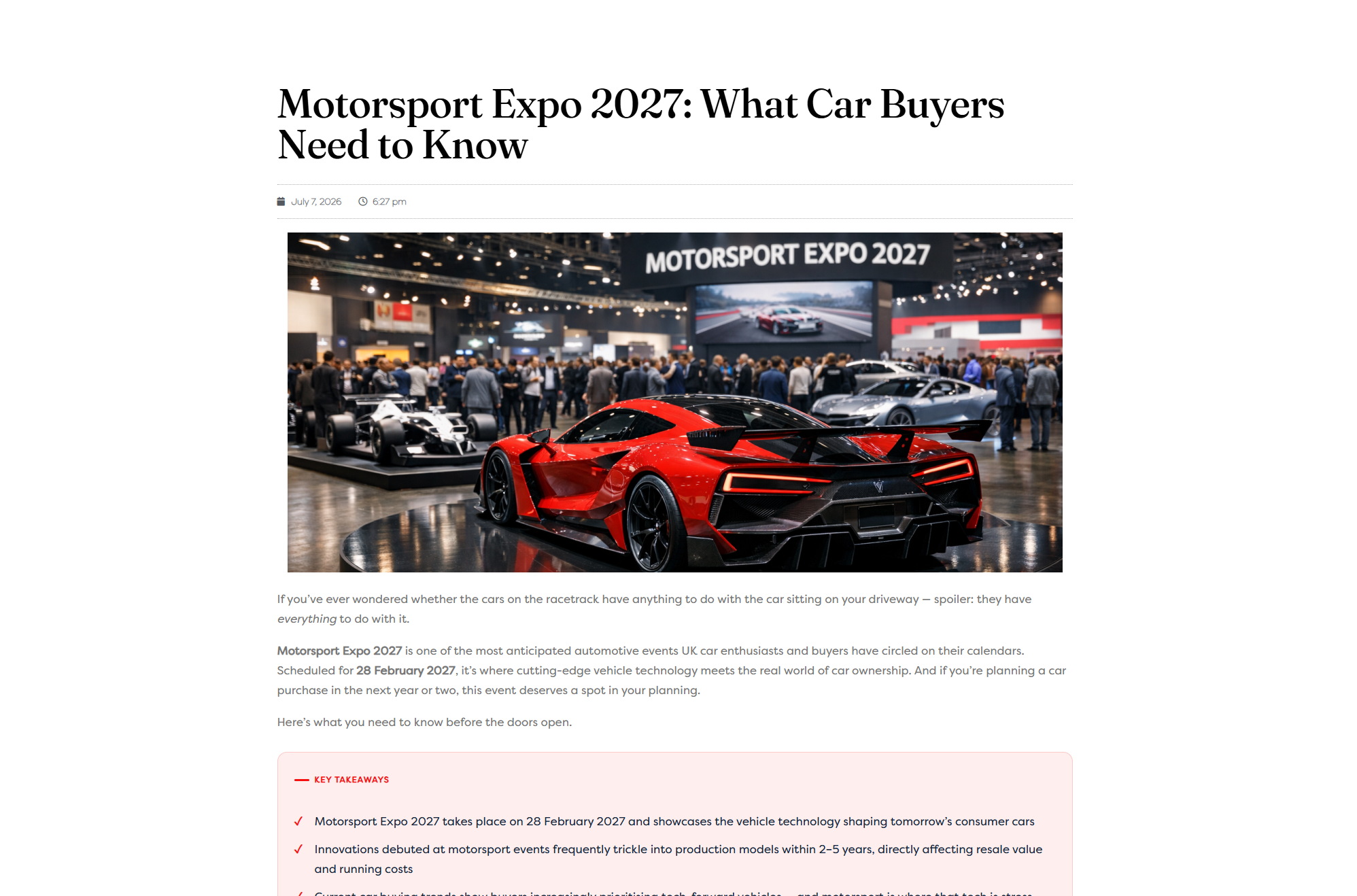
Most AI writing produces one image at the top and then two thousand words of unbroken text. AI Content Bridge reads the article it has just written and suggests images that suit each section — described in plain language, not prompts — then places the one you choose into the post, inset left or right so your text wraps around it.
It works on posts you have already published, too: open the image window on anything you have generated and ask for suggestions. Browsing suggestions is free; you only spend a credit on the images you decide to create. Your featured image is placed at the top of the post automatically, so it shows even on themes that do not display one.
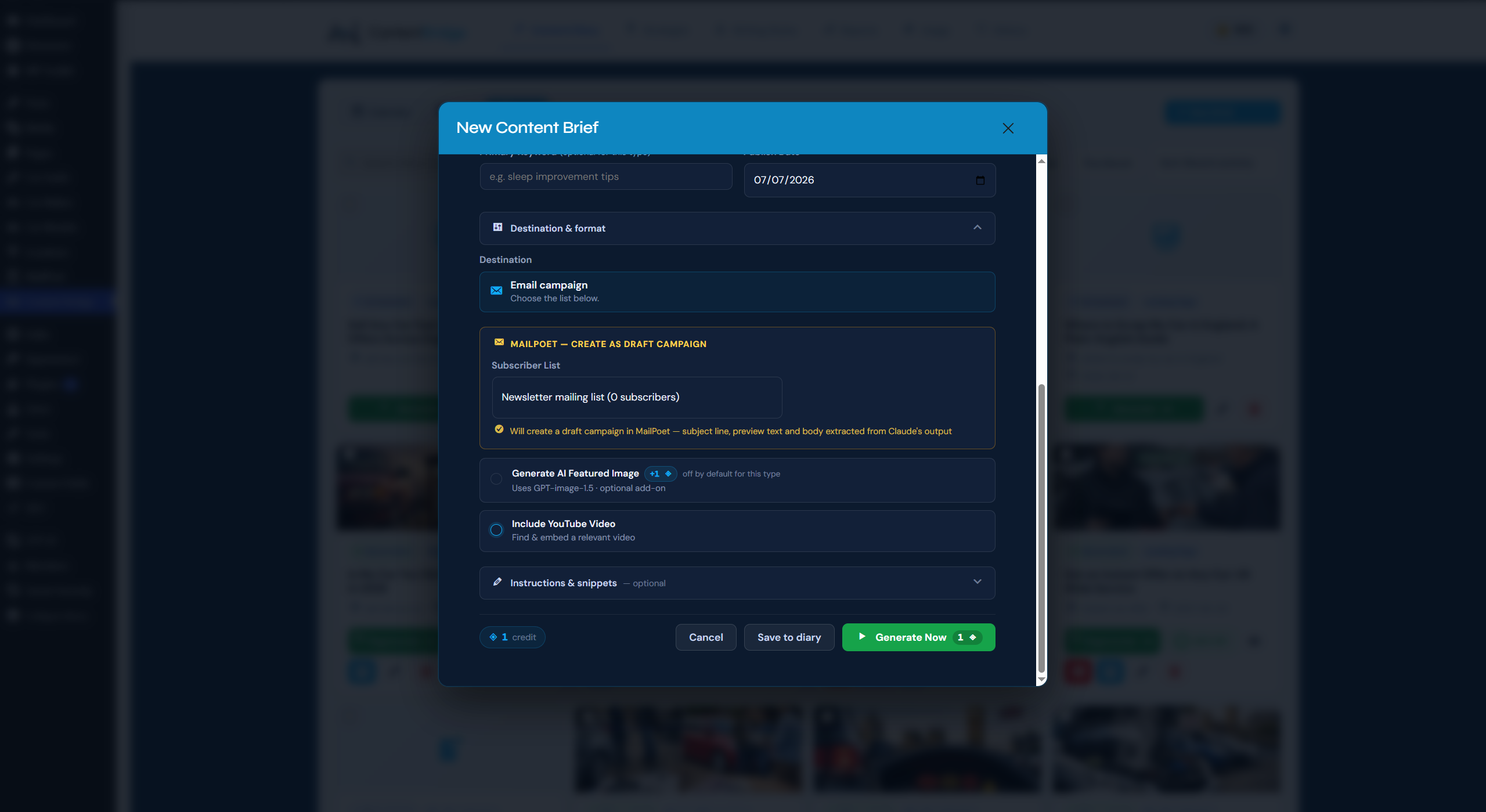
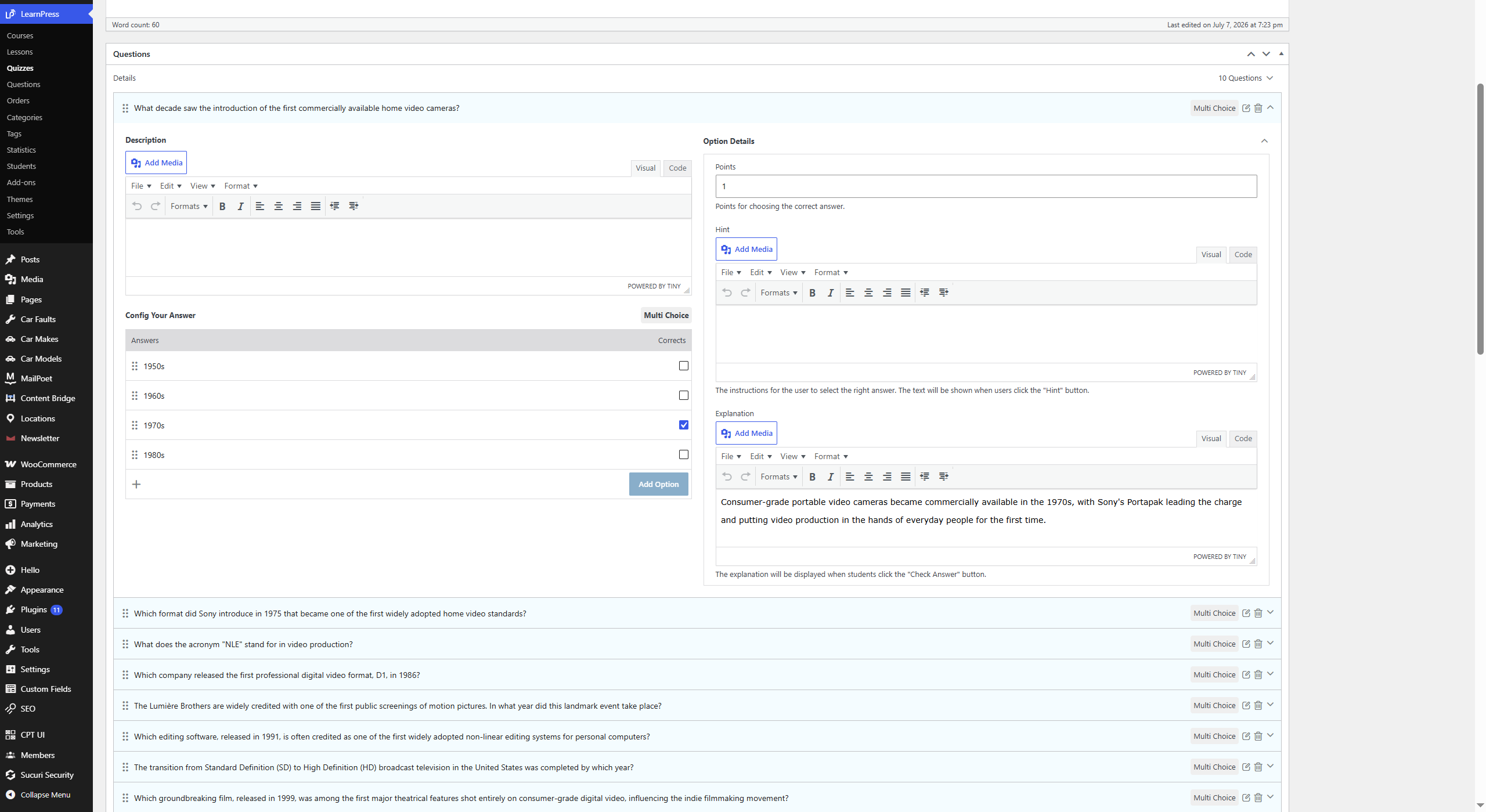
It works with the plugins you already run — each detected automatically, nothing to connect. Yoast, Rank Math and SEOPress receive SEO metadata; WooCommerce gets product content; MailPoet and Newsletter handle email; The Events Calendar takes events. For learning content, it generates LearnPress and LifterLMS lessons and courses complete with knowledge-check quizzes, built and linked to the lesson for you.
Every new licence starts with 10 free trial credits that unlock every content type. The ongoing free plan includes the Blog Post type; paid plans unlock the rest, with more credits and features.
See it in action
The full journey, free — install from the directory, one-email setup, and 10 trial credits taken from a blank site to three published posts:
More walkthroughs:
- The whole loop in one take — three months planned, one brief to a publish-ready post — https://youtu.be/iffW4rlA6dY
- Outline review and the 0–100 SEO score — https://youtu.be/PegVbyEmJH8
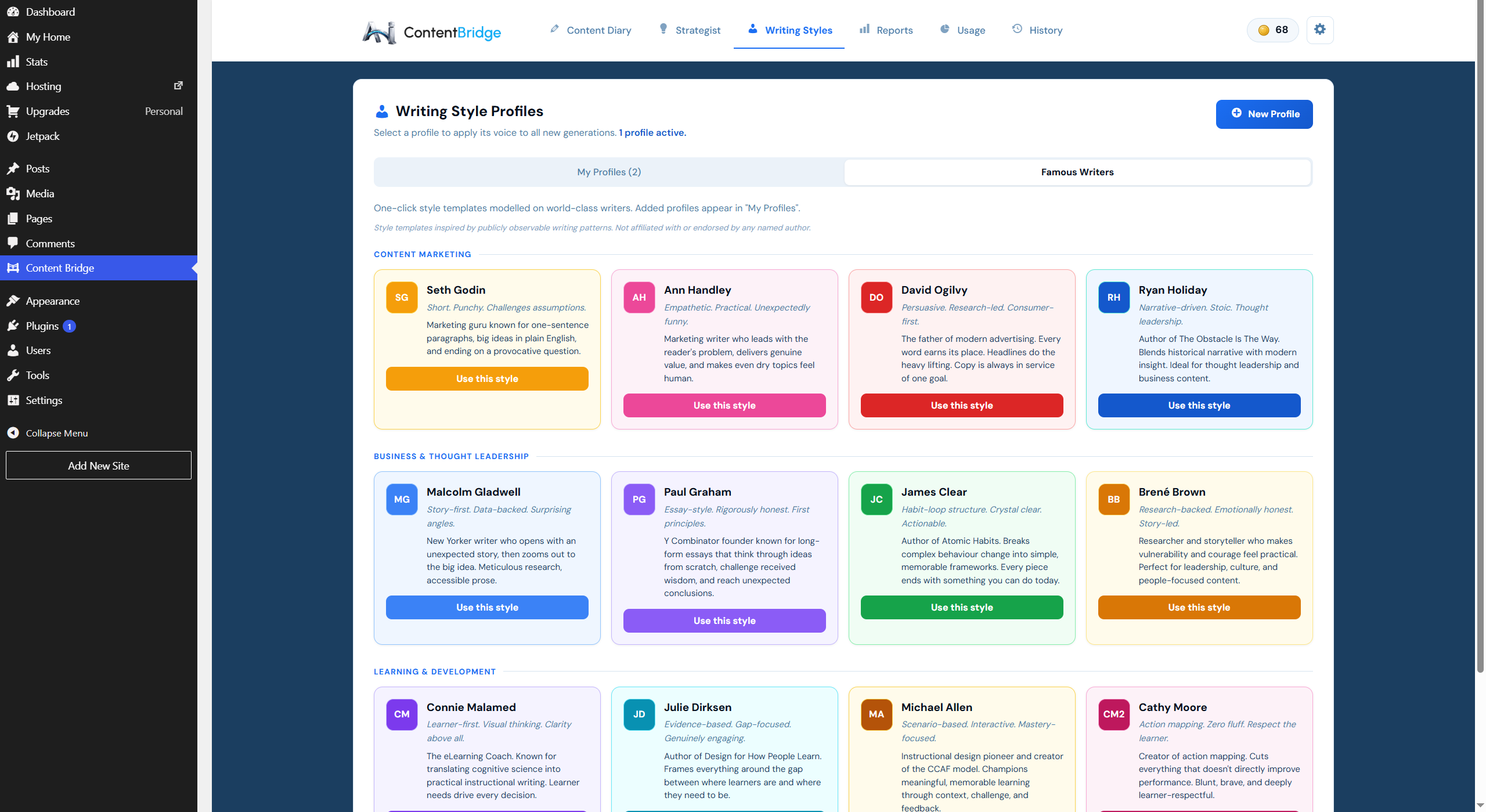
- Writing Style Profiles, a different voice per client — https://youtu.be/YygkHCzS8Os
- WooCommerce products and ACF field targeting — https://youtu.be/Jy1mG0y6oag
- Courses, lessons and quizzes for LifterLMS and LearnPress — https://youtu.be/eYoeRyuw2G0
- The same brief through ChatGPT and through AI Content Bridge — https://youtu.be/HWhYYBAITpw
- A two-minute overview of the plugin — https://youtu.be/0MK6YlDVTL8
External services
This plugin relies on the AI Content Bridge service to generate content, and that service uses several third-party APIs to do so. When you generate a piece of content, the plugin sends data from your site to the AI Content Bridge service, which then calls the providers below as needed. No content is generated, and no data is sent, unless you start a generation (or the plugin validates your licence key).
AI Content Bridge service (the service this plugin connects to)
Used to validate your licence, manage your credits, and orchestrate generation. Data sent: your licence key, your site’s domain, and the inputs you provide for a piece of content (such as the title, keyword and brief fields). Sent whenever you generate content or your licence is validated.
Terms: https://aicontentbridge.com/terms — Privacy: https://aicontentbridge.com/privacy
Anthropic (Claude API)
Used by the service to generate the article text and SEO metadata. Data sent: the prompt built from your content inputs. Sent on every generation.
Terms: https://www.anthropic.com/legal/commercial-terms — Privacy: https://www.anthropic.com/legal/privacy
OpenAI API
Used by the service to generate a featured image. Data sent: an image prompt derived from your title and chosen style. Sent only when you choose to include an image.
Terms: https://openai.com/policies/terms-of-use — Privacy: https://openai.com/policies/privacy-policy
Serper.dev
Used by the service to fetch search-results data so keyword-led content can be grounded in what currently ranks. Data sent: your primary keyword. Sent only for keyword-led content types when search grounding is enabled.
Terms: https://serper.dev/terms — Privacy: https://serper.dev/privacy
YouTube Data API (Google)
Used by the service to find relevant videos to embed in your content. Data sent: a search query derived from your topic. Sent only when you choose to include video embeds.
YouTube API Services Terms: https://developers.google.com/youtube/terms/api-services-terms-of-service — Google Privacy: https://policies.google.com/privacy
Development
Source code. The admin interface is a React application. The compiled bundle at build/index.js is generated from the human-readable source shipped in this plugin’s /src directory. To rebuild it:
npm cinpm run build(uses@wordpress/scripts)
The output is written to /build. src/index.js is the entry point; every admin component lives under src/components/.
Bundled libraries.
- Parsedown 1.7.x — Markdown parser by Emanuil Rusev, https://github.com/erusev/parsedown (MIT licence, header preserved in
Parsedown.php). The bundled copy is renamedAICOBR_Parsedownto avoid conflicts with other copies of the library. - Fraunces, DM Sans, DM Mono, Syne and Instrument Serif fonts — self-hosted in
/fonts, each licensed under the SIL Open Font License 1.1 (licence texts in/fonts/OFL-*.txt). No fonts are loaded from third-party servers.
Foto ekrani
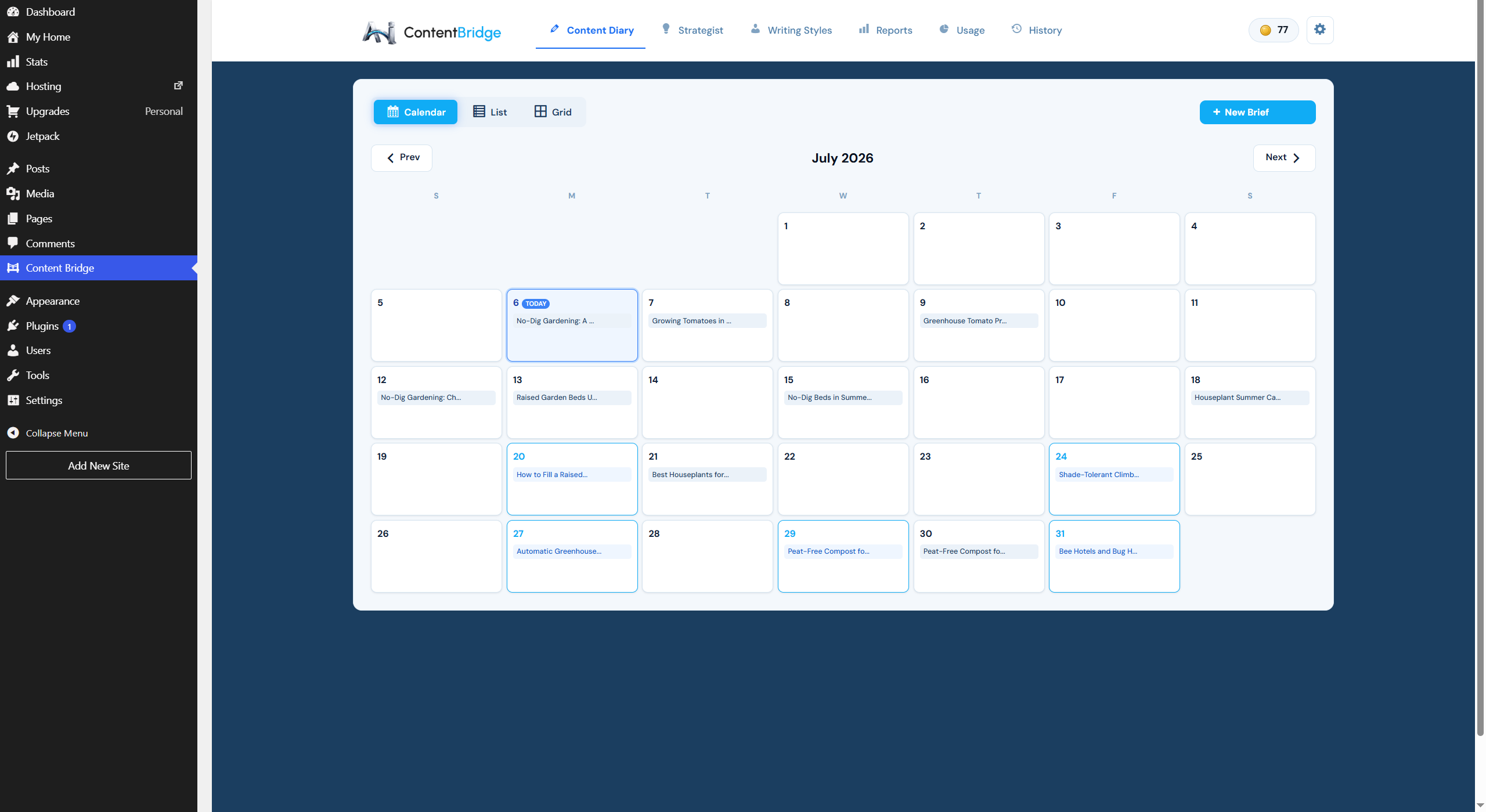
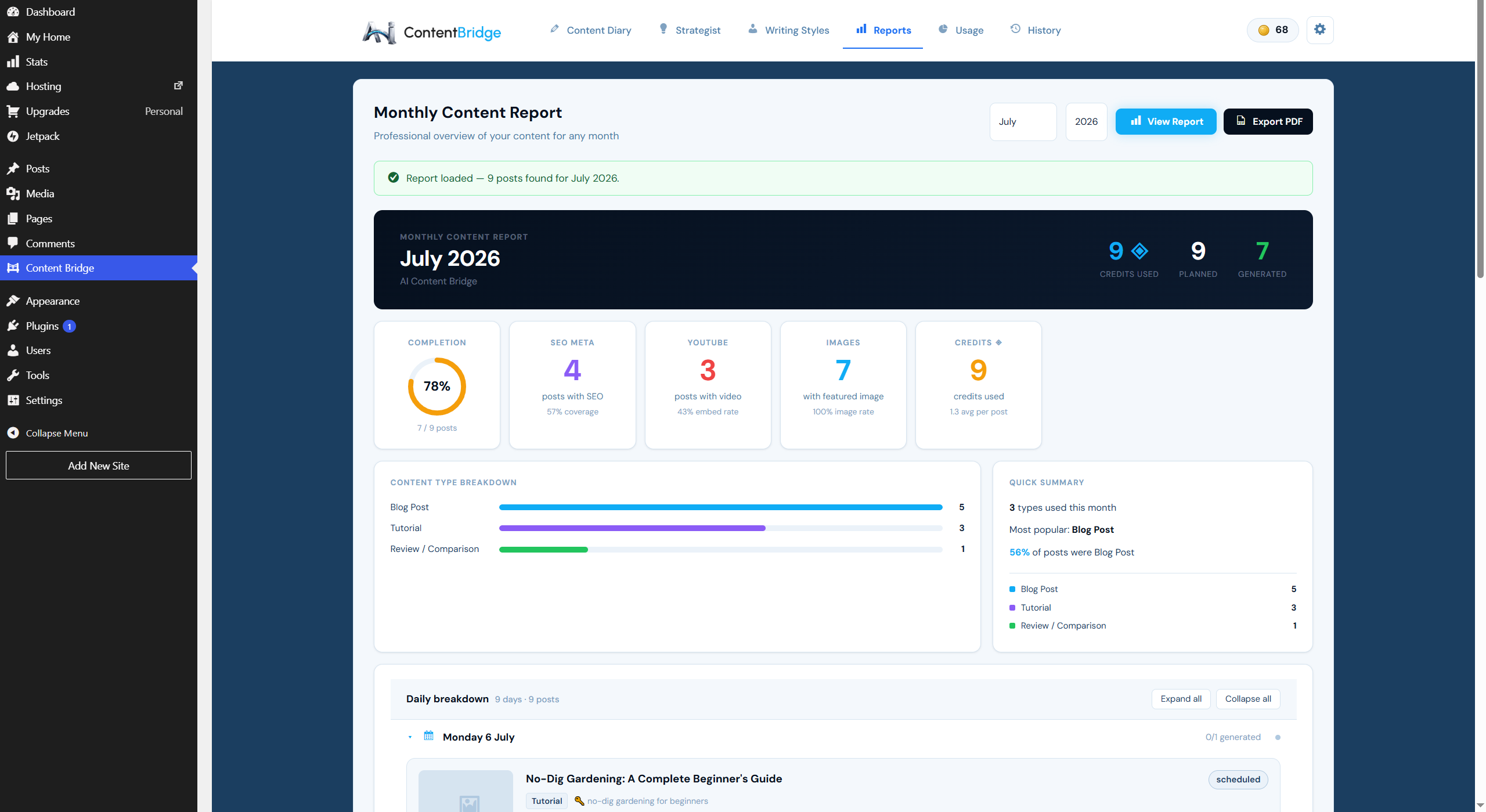


![The [content_cluster] shortcode lists a cluster on its pillar page, updating itself as each post is published.](https://ps.w.org/ai-content-bridge/assets/screenshot-14.png?rev=3639754)
Instalim
- Install the plugin from the WordPress plugin directory (or upload the zip) and activate it.
- Open AI Content Bridge in your admin menu — the setup wizard opens automatically.
- Enter your email address. That’s the whole form: your free licence key is created and stored for you.
- Click the verification link we email you — on any device — and setup completes by itself. Your 10 trial credits are active.
- Choose a content type, fill in the brief, and generate.
There is no separate signup and nothing to copy or paste — the licence key is handled for you, and it locks to this site’s domain on first activation. If you already have a licence key (for example, a paid plan), you can enter it manually in Settings instead.
Pretty permalinks must be enabled and your site’s REST API reachable so generated content can be published back to your site.
PBR
-
How does setup work?
-
Install and activate the plugin, open AI Content Bridge, and enter your email in the setup wizard — that’s the whole form. Click the verification link we send and setup completes by itself, with your 10 trial credits ready. No API keys, no separate signup, no licence key to copy.
-
Do I need my own AI API keys?
-
No. Generation runs on the AI Content Bridge service; you don’t supply or pay for any AI provider keys.
-
Is there a free version?
-
Yes. Every new licence starts with 10 trial credits that unlock every content type — enough to run the Content Strategist on your industry and generate three complete posts with featured images. Once they’re spent, the free plan continues with the Blog Post type; paid plans unlock every content type with more credits and features.
-
Can it write WooCommerce product descriptions?
-
Yes. WooCommerce is detected automatically, and product content types write straight into your product fields: the description, short description and SEO metadata.
-
Can it generate LMS course and lesson content?
-
Yes. It generates course overviews, lessons and knowledge-check quizzes for LearnPress and LifterLMS, and each quiz is attached to its lesson for you — no assembling modules by hand. The destination LMS is detected automatically.
-
Can it build internal links between my posts?
-
Yes. When you plan a cluster around one of your existing pages, every post in that cluster links back up to it — written into the body copy during generation, not appended as a list. Add the [content_cluster] shortcode to the page and it also lists its supporting posts, updating itself as each one is published.
-
Do I need to plan a cluster to use the Strategist?
-
No. Choosing a page is optional. Leave it blank and the Content Strategist plans a normal content calendar exactly as before.
-
What happens if a generation fails?
-
Credits are deducted just before generation and refunded automatically if it fails, so a failed run doesn’t cost you credits.
-
Why didn’t my content publish?
-
The most common cause is the WordPress REST API being blocked by a security plugin, or pretty permalinks being disabled. See the documentation’s Troubleshooting page.
-
Is my licence tied to one site?
-
A licence locks to the first domain it’s used on. To move it to another site, contact support.
Shqyrtime
Për këtë shtojcë s’ka shqyrtime.
Kontribues & Zhvillues
“AI Content Bridge — AI Content Generator with Topic Clusters & Internal Linking” është software me burim të hapur. Në këtë shtojcë kanë dhënë ndihmesë personat vijues.
Kontribues
Ju intereson zhvillimi?
Shfletoni kodin, shkarkoni depon SVN, ose pajtohuni përmes RSS-je te regjistri i zhvillimeve.
Regjistër ndryshimesh
2.9.0
- New: in-body images. ACB now suggests images that suit each section of an article, and places the one you choose into the post for you.
- New: image suggestions at generation. Tick “Suggest up to 3 in-body images” when you create a brief and the descriptions come back with the article — free, with no extra credit.
- New: image suggestions for posts you already have. Open the image window on any generated post and press “Suggest images for this post” — this works on everything you have written with ACB, not just new content.
- New: in-body images are inset left or right so your text wraps around them, alternating sides down the article. Generated at the right shape for the layout rather than cropped to fit.
- New: the featured image now appears at the top of the post automatically via a [content_featured_image] shortcode, so it shows on themes that do not display it themselves. Delete the line to remove it, or turn it off in Settings.
- New: [content_image] shortcode. Offered whenever ACB will not edit a post directly — a page-builder page, or one where the target section has been renamed — so you can always place the image yourself.
- Improved: image alt text is generated with every suggestion.
- Improved: image generation rate limit raised, and now counted per licence rather than per server, so agencies running several sites are no longer capped collectively.
- Note: generating an in-body image costs 1 credit, the same as regenerating a featured image. Browsing suggestions is always free.
2.8.11
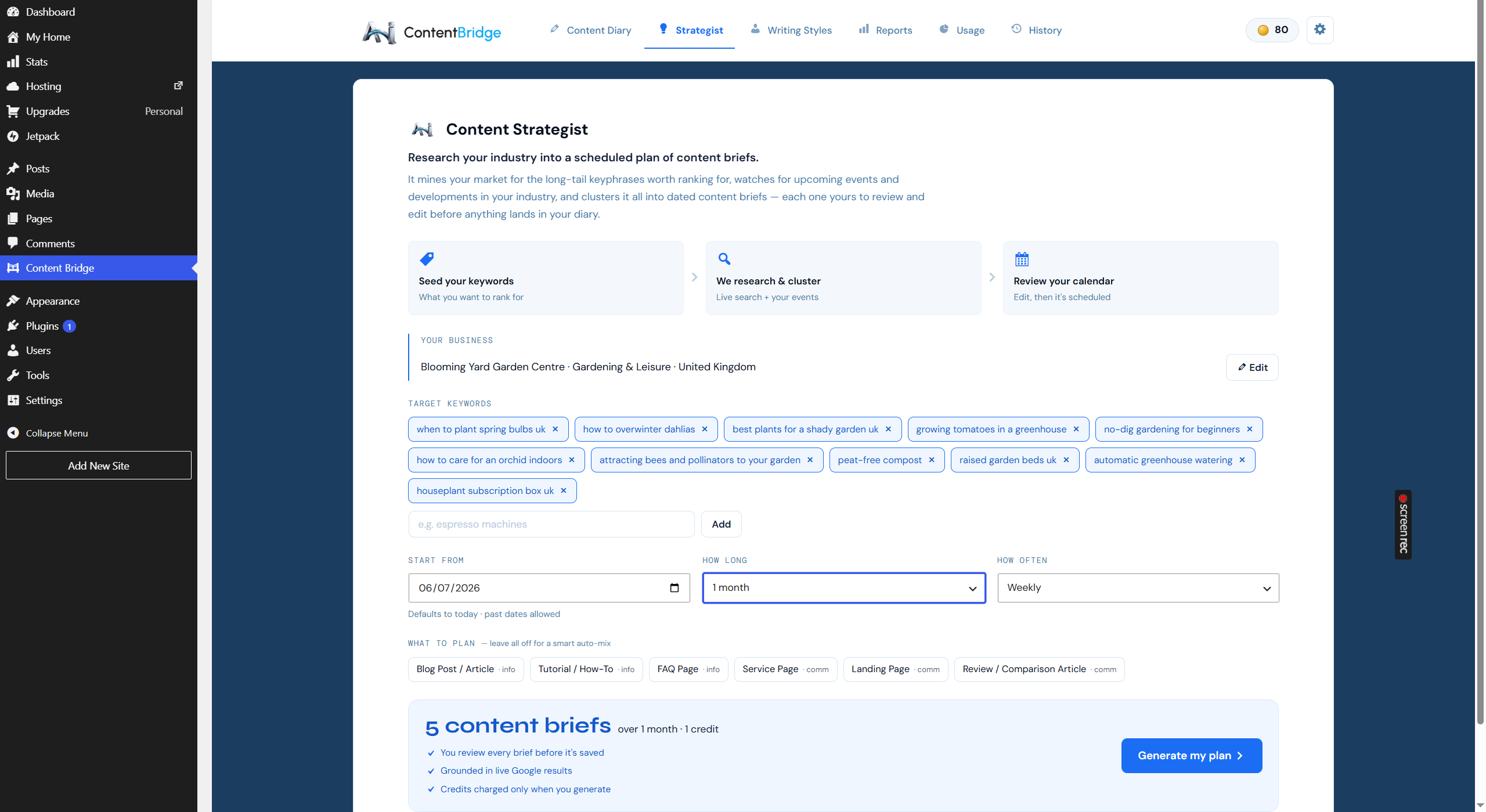
- New: topic clusters in the Content Strategist. Choose an existing page as the pillar and the plan becomes the supporting posts that page is missing.
- New: automatic internal linking. Each post in a cluster links up to its pillar page contextually, written into the body copy at generation time.
- New: [content_cluster] shortcode. Lists a page’s supporting posts, updating itself as they publish. Shows nothing until at least one is published.
- New: cluster filter in the Content Diary, with a published-of-total count per cluster.
- New: deleting a brief can now also move its generated post to the WordPress trash. Off by default, asked separately, and only ever applies to posts this plugin created.
- Improved: replanning against a page you have already built a cluster for now fills the gaps rather than repeating topics, rejecting proposals that duplicate an existing post’s search intent.
- Improved: Content Strategist field headings darkened for legibility.
2.8.10
- New licences now start with 10 trial credits (was 5) that unlock every content type while they last.
- YouTube video embeds are now available on all plans, including free.
- Onboarding, dashboard and pricing copy updated to match.
2.8.9
- Fixed: saving an invalid licence key now correctly deactivates the plugin — previously the “Email verified — licence active” status could remain on screen after a failed key was saved.
- Fixed: your credit balance now refreshes immediately after activating a licence, instead of showing a placeholder figure until the page was reloaded.
- Improved: the plugin now connects to the licence service on its own domain.
- Improved: clearer message when a licence key cannot be verified, explaining that the plan has been set to Free.
2.8.8
- Improved: completely redesigned setup. Start with just your email — your free licence key is stored automatically, and the moment you click the verification link (on any device) setup completes by itself. No more copying and pasting a licence key.
- Improved: the setup screen now explains exactly why an email address is needed (your licence key is locked to your site to prevent credit abuse) and confirms there are no newsletters or marketing emails — one verification email only.
- Improved: closing setup now minimises it to a “Finish setup” banner instead of hiding it permanently, so an unfinished activation always has a one-click route back.
- Added: a Resend button on the check-your-inbox screen, with a reminder to check the junk folder.
- Fixed: paid plan pricing no longer appears before the free signup — plans are available from a “View paid plans” link and, as always, from the dashboard.
2.8.7
- Fixed: the upgrade panel listed the wrong number of content types for the Starter and Pro plans (it said 7 and 15; the correct figures are 6 and 17) and advertised a recipe content type that the plugin does not include.
- Fixed: the Pro column listed Writing Style Profiles and the writer templates as Pro features. Both are available on every plan — it is extracting a style automatically from a writing sample that requires Pro, and the panel now says so.
- Improved: generation is no longer abandoned if a single network call to the content service fails momentarily; transient failures are retried automatically before the run is given up and your credits returned.
2.8.6
- Fixed: L&D content types (Course Overview, Training Module, quizzes and lessons) can no longer publish as a plain blog post when an LMS is installed — if routing information is missing, the correct LMS destination is now derived automatically from the content type.
- Improved: with Course Overview selected, the course picker now reads “Create as a new course” instead of “Don’t publish to LMS”, making the two intended workflows explicit — create a new course, or populate an existing one.
2.8.5
- Fixed: Landing Pages, Service Pages, About Us and FAQ Pages now publish as WordPress pages by default instead of posts (the destination can still be changed per brief).
- Fixed: updating a content brief no longer temporarily hides the SEO, View post, YouTube and Image buttons on the entry’s card.
- Fixed: field labels in the New Style Profile window were unreadable against the background.
- Fixed: the character counter beneath the writing sample displayed a raw character code instead of a tick.
2.8.4
- Fixed: target keywords in the Content Strategist now save immediately when added or removed — previously changes could be lost on refresh unless a plan was run.
2.8.3
- Fixed: bulk delete in the Content Diary now deletes entries permanently, not just from the current view.
- Fixed: entries with multiple generated images no longer show two image buttons — just the gallery counter.
- Fixed: restores the correct admin interface build — version 2.8.2 was packaged with an outdated interface bundle, which could cause the dashboard logo not to display and reverted some recent interface improvements.
2.8.2
- Fixed: bulk delete persistence and a duplicate image button in the Content Diary (re-released as 2.8.3 due to a packaging error).
2.8.1
- New: ACF field targeting now works for standard posts and pages as well as custom post types.
- Changed: every feature implemented locally in the plugin is now available on all plans with no tier conditions — plan tiers apply only to the external generation service. This includes the ACF field selector, the YouTube embed option and Writing Style Profiles.
- Changed: removed the attribution line previously appended to free-plan content.
- Changed: all fonts (admin and front-end) are now self-hosted inside the plugin — no requests to Google Fonts.
- Changed: options, classes, functions, script handles and post meta now use the distinct
aicobr_prefix; existing data is migrated automatically and legacy option values are retained for one release as a rollback safety net. - Changed: the REST namespace is now
aicobr/v1; the previousai-content/v1namespace remains registered as a working alias for the transition. - Hardened: REST routes that modify the Content Diary or spend credits now require the
manage_optionscapability by default (filterable viaaicobr_rest_capability). - Changed: the bundled Parsedown library is renamed
AICOBR_Parsedownso it can never conflict with another plugin’s or theme’s copy. - Removed: unnecessary WordPress core admin includes.
2.8.0
- Hardened: your content records — SEO reports, featured images and newsletter drafts — are now protected against a rare save-timing issue that could briefly blank them immediately after generation. New server-written fields are protected automatically going forward.
2.7.0
- New: AI Content Strategist — turn your business context and target keywords into a reviewable, dated multi-month content plan that populates your Content Diary as scheduled drafts.
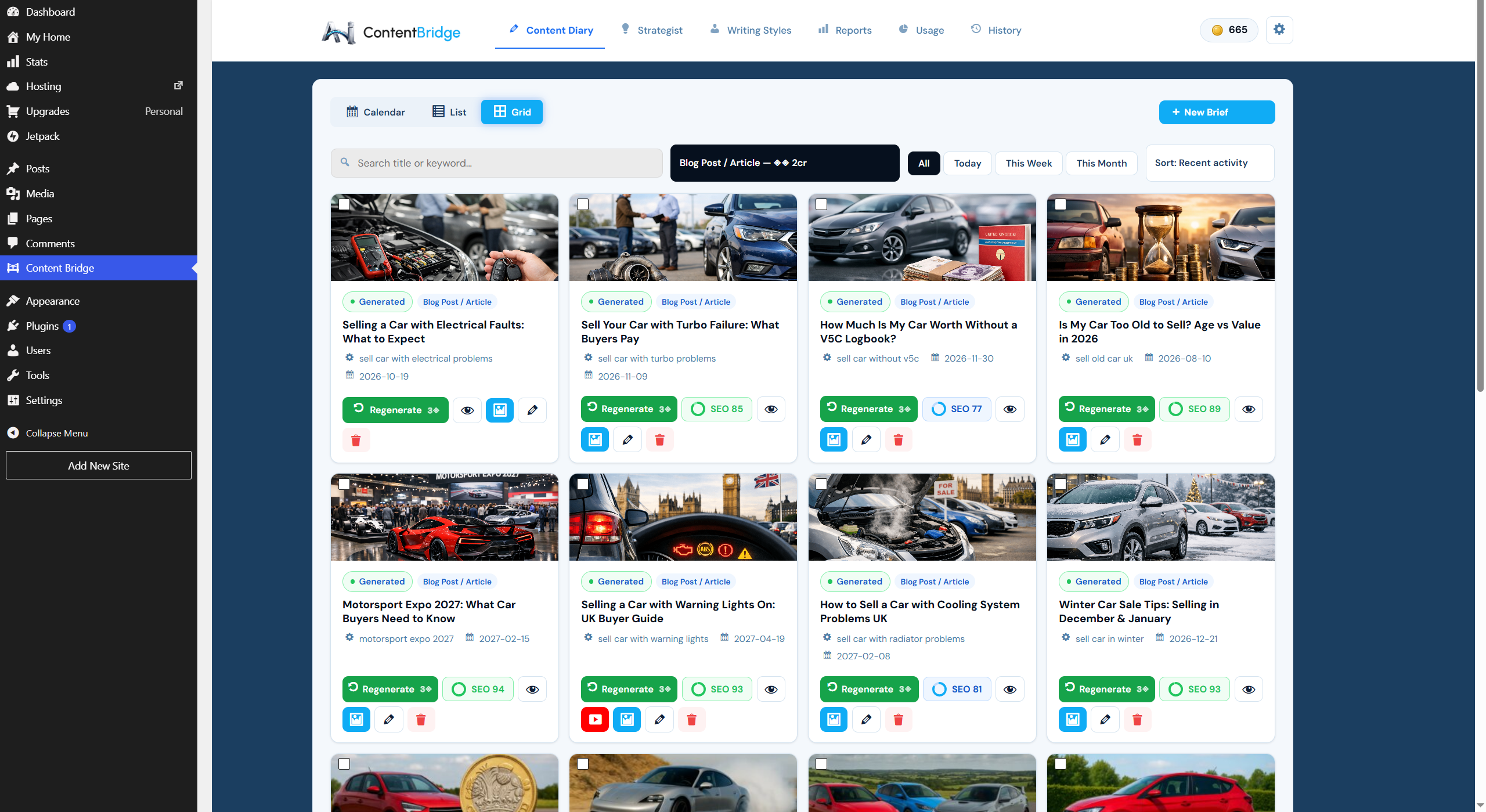
- New: Content Diary grid view and a sort dropdown (recent activity, date added, scheduled date, status, title).
- Improved: per-content-type length profiles for more natural, better-fitting article lengths.
- Improved: large content libraries stay fast — Content Diary entries now load as you scroll, in both list and grid.
- Improved: the credit balance now refreshes instantly after each generation, with much lighter background usage.
- Fixed: featured-image generation tuned for quality and cost (gpt-image-1.5).
- Hardened: generation pipeline resilience so a single failed job can never interrupt others.
2.6
- New: SEO Intelligence — a built-in SEO score on every generation and an editable, search-grounded outline review for keyword-led content types.
Earlier release notes are available on request from support@aicontentbridge.com.