

Përshkrim
When you’re showing grouped content in rows (e.g. blog posts, products, feature sets), it’s almost inevitable that variations in content lengths will throw off your layout.
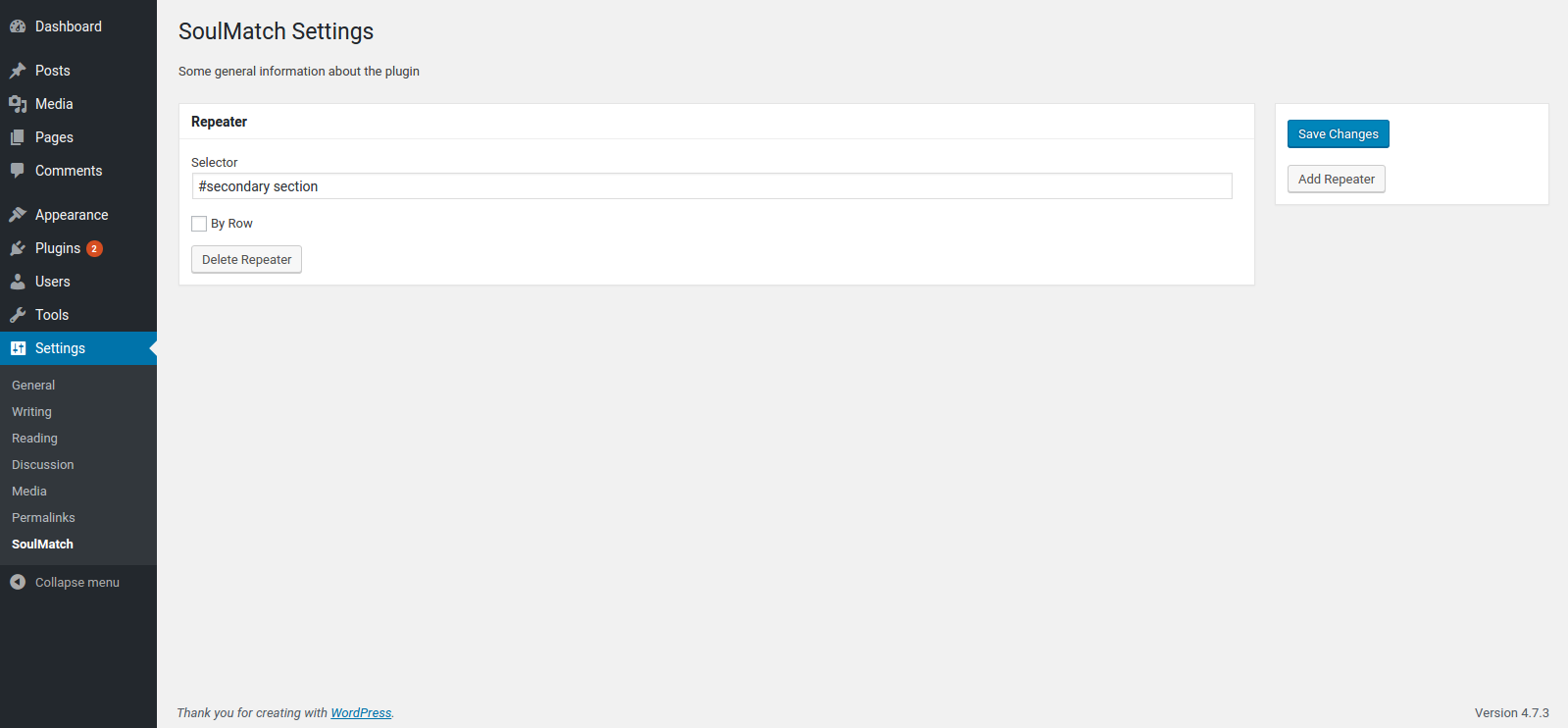
SoulMatch helps you equalize the heights of your elements so that everything hangs together nicely, even when the page is resized. Simply provide a CSS selector (class, id, etc.) and the plugin will do the rest.
Foto ekrani
Instalim
- Upload the plugin files to the
/wp-content/plugins/soulmatchdirectory, or install the plugin through the WordPress plugins screen directly. - Activate the plugin through the ‘Plugins’ screen in WordPress
- Use the
Settings -> SoulMatchscreen to configure the plugin
PBR
- Installation Instructions
-
- Upload the plugin files to the
/wp-content/plugins/soulmatchdirectory, or install the plugin through the WordPress plugins screen directly. - Activate the plugin through the ‘Plugins’ screen in WordPress
- Use the
Settings -> SoulMatchscreen to configure the plugin
- Upload the plugin files to the
- How do I make this plugin work?
-
Go to
WP Admin > Settings > SoulMatchand define CSS selectors for the elements you want to equalize.
Shqyrtime
Për këtë shtojcë s’ka shqyrtime.
Kontribues & Zhvillues
“SoulMatch” është software me burim të hapur. Në këtë shtojcë kanë dhënë ndihmesë personat vijues.
Kontribues

Përkthejeni “SoulMatch” në gjuhën tuaj.
Ju intereson zhvillimi?
Shfletoni kodin, shkarkoni depon SVN, ose pajtohuni përmes RSS-je te regjistri i zhvillimeve.
Regjistër ndryshimesh
0.1.1
- add .filter(‘:visible’) for better matching
- add a hook to re-match on window resize event
0.1.0
- first version to be submitted to wordpress.org