

Përshkrim
Insert Google Adsense into widget area and don´t worry about any settings. You can also insert a shortcode to your content and set ad format if you want.
Veçori:
-
Google Ads widget allow multiple ads on the page
-
Shortcode to insert your ad to content
-
No settings needed, just insert your pub-id and show your ads.
Shortcode:
[google_ad data_ad_slot='' data_ad_format='auto']
data_ad_slot:
-you can specify which exact ad you want to display
data_ad_format:
-auto
-rectangle
-horizontal
-vertical
Foto ekrani
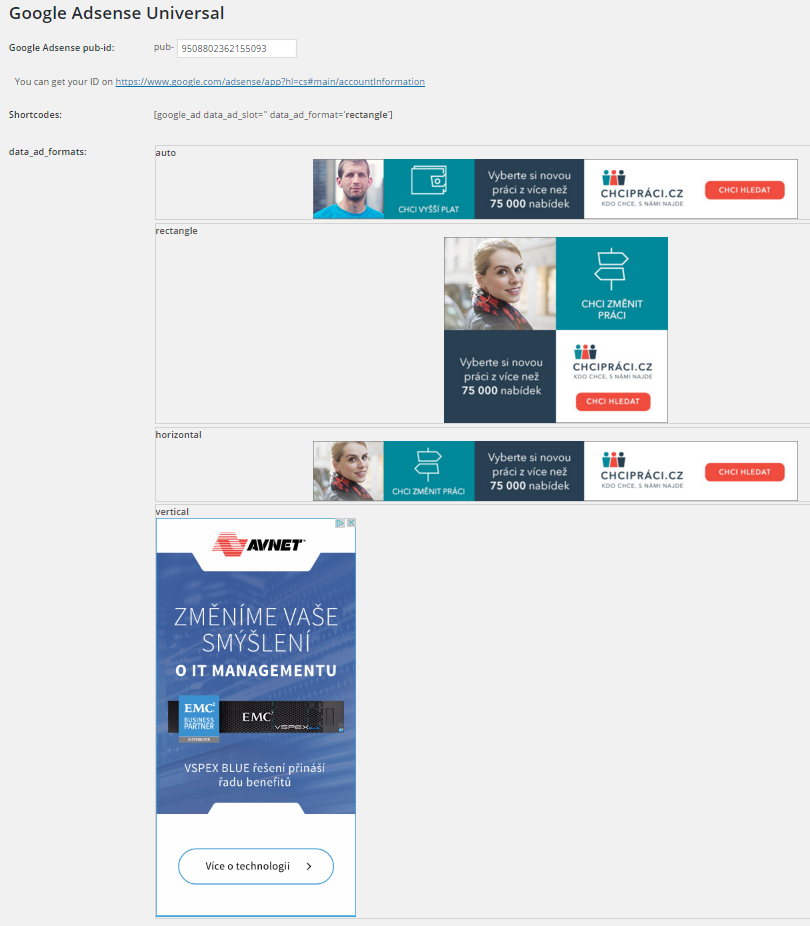
Ad formats
Instalim
- Upload
google_ads_universalfolder to the/wp-content/plugins/directory - Aktivizojeni shtojcën përmes menusë ‘Shtojca’ te WordPress
- Go to settings and insert yout pub-id
PBR
How can i set ads dimensions?
You can´t, Google will do it for you. This plugin do it for you as simple as possible.
Shqyrtime

Kontribues & Zhvillues
“Zedna Universal Ads” është software me burim të hapur. Në këtë shtojcë kanë dhënë ndihmesë personat vijues.
Kontribues
Përkthejeni “Zedna Universal Ads” në gjuhën tuaj.
Ju intereson zhvillimi?
Shfletoni kodin, shkarkoni depon SVN, ose pajtohuni përmes RSS-je te regjistri i zhvillimeve.
Regjistër ndryshimesh
1.0
- First version