
Përshkrim
Pro Plugin Page | Videos | Demo | User Guide | AddOns
WordPress Download Manager plugin is a user-friendly solution for uploading, managing, and supporting documents or file downloads in a structured directory listing.
The WordPress Download Manager enable multiple users to access and provide feedback on files, which builds a sense of community among them.
Whether you’re looking to arrange important documents for your team, share files with clients or partners, or facilitate collaboration among colleagues this plugin is the best tool to use.
Download Manager Index
Our WordPress Download Manager plugin makes file organization simple by creating an intuitive index page that categorizes downloads based on your preferences.
This enables users to quickly and easily locate the files they need, without having to dig through folders or search for specific filenames.
Download Manager Categories
With this WordPress file manager plugin, you can customize the categories to suit your unique needs and ensure that your files are always organized and accessible.
What is more, the index page provides direct links to all of the download files, so users can get what they need with just a few clicks.
Download Manager Plugin Premium Editions
The download manager plugin premium version includes payment support using WooCommerce or Easy Digital Downloads, more robust shortcodes and support for zip files, user access management, notifications, moderation and more
Download Manager Introduction Video
Download Manager Use-Cases
- Plugin Directory – Creates a plugin directory that is similar to any other WordPress Plugins Directory.
- Download Counter – Counts the number of downloads for each downloadable file.
- Support forum – Supports your users by letting them vote and comment on existing topics that relate to each download.
- Customer Support – Support for retail customer’s questions.
- File Manager – Manages files in a directory structure.
- MP3 and Music file directory – Manages music downloads and allows users to listen to audio files before downloading.
- Videos file directory – Manages video downloads and allow users to preview them before downloading.
- Users Groups Permission – Manage user groups permission to access downloads.
- Charge for Downloads / Uploads – Charge users for uploading / downloading files.
Basic Features
- Includes a download counter with all files listed including search and filtering options.
- Includes voting for each download.
- Includes download categories.
- Administrators can manage downloads.
- Built-in support forum for each download.
- Template can be customized in several ways.
- Filter downloads with an internal search engine.
- Administrators can define the types of file extensions supported.
- User can track his or her downloads from their user profile.
- User can receive email notifications on newly submitted support questions.
Pro Version Features
Pro Version Detailed Feature List )
- Multiple-File Upload – Ability to upload multiple files to download page. Each file can have its own title. The files can be zipped automatically or downloaded separately.
- MicroPayment – Grant or charge virtual currency based on use-case.
- User Groups Permissions – Set access control based on users groups. Admin can define global settings while user can define access settings per each download.
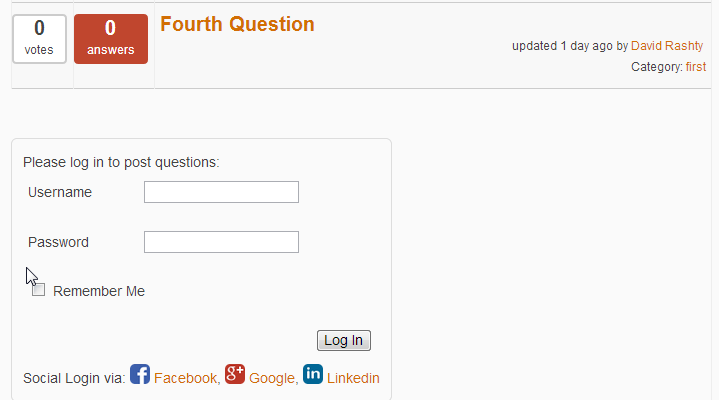
- Social Media Registration Integration – Integrates with Facebook and LinkedIn. View Image One, View Image 2
- Shortcodes/Widgets – Generates top level contributors list, recent updates, and in most cases, a download items list.
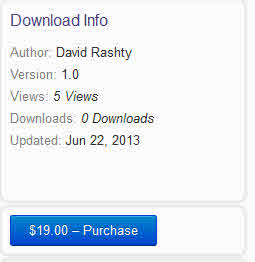
- View Restriction – Defines according to each download whether or not it is open to non-logged in users. If only logged in users are allowed, administrators can also define whose user roles can view specific downloads. This can be set by Admin or you can give the user ability to custom define their view. View Image
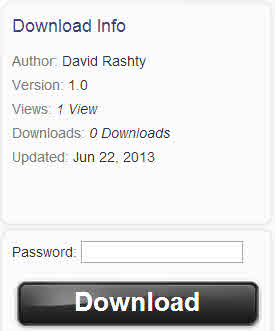
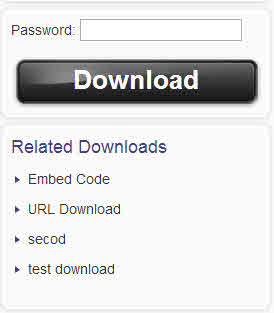
- Password Protection – Protects downloads with passwords. View Image
- File Preview Option – Support showing content with external viewer. Download including PDF / DOC / XLS files can be viewed with Google docs viewer.
- Extended Notifications – Send custom email notifications to download authors, notify users of file uploads, notify the admin when uploads are pending approval.
- Upload Restrictions – Defines which user roles can create new downloads. View Image
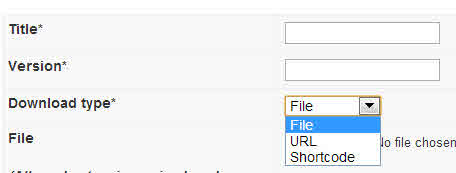
- URL / Shortcode – Allows the inclusion of an external URL or a Shortcode in download page instead of uploading a file. This is useful for integration with other plugins for support with checkout shopping carts and for selling downloads. View Example of EDD integration , View Example of User Selection
- Related Downloads – Show Related downloads on the Download page. View Image
- Downloads Page Tabs – Shows more tabs for detailed download descriptions on the Download page, which the admin can control in the settings.
- Search – Filters search results by date, download type and username.
- Moderate User Comments – Administators can moderate user comments. View Image
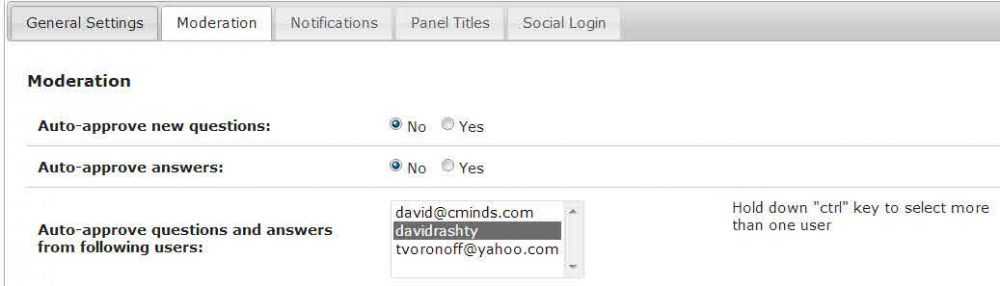
- Auto-Approve Comments and Answers from Users – Administrators can define a list of users who do not need any moderation. View Image
- Multisite- Supports multisite.
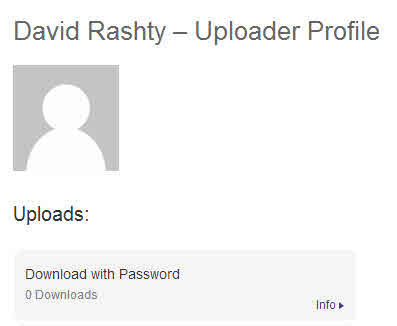
- Public User Profile – Automatically generates a public profile page that contains the number of downloads each user has posted with a link to his or her social media profile. View Image
- Gravatar – Ability to show a Gravatar near the user name and in user profile. View Image
- Order Comments – Shows comments on the Download page in either ascending or descending order.
- Localization Support – Frontend (user side) is localized/
- View Count – Shows view count for each download and lets you control how the view count is tabulated (by view or by session)
- Permalinks – Ability to change permalink from /cmdownloads to a user defined directory.
- Support Tab – Ability to remove support forum and also other tabs from the Download page.
- Slide Show – Ability to turn off the slide show.
- Disclaimer – Add an option to show a disclaimer for first time users.
- Gratitude Message – Does not include the CMinds Gratitude message in the footer.
- External Viewer – Adds external links to Google Docs viewer for supported Google Docs file types.
- MP3 Viewer – Adds an embedded mp3 player for listening to music files.
- Downloads Index Views – Option to toggle between a list view and a tiles view of your downloads.
- Social Share – Includes a social share widget in the question page.
- Log & Statistics – Detailed reports and download statistics including who downloaded each file.
- FTP Storage – Choose an FTP storage instead of the local website storage.
Add-Ons & Extensions
Follow Us
Blog | Twitter | LinkedIn | YouTube | Pinterest | FaceBook
Suggested Plugins by CreativeMinds
List of all WordPress Plugins by CreativeMinds
- CM ToolTip Glossary – Easily creates a Glossary, Encyclopaedia or Dictionary of your website’s terms and shows them as a tooltip in posts and pages when hovering. With many more powerful features.
- CM Answers Plugin – A fully-featured WordPress Questions & Answers Plugin that allows you to build multiple discussion forum systems Just like StackOverflow, Yahoo Answers and Quora, Now with MicroPayment and Anonymous posting support!
- CM MicroPayments – Adds the in-site support for your own “virtual currency”. The purpose of this plugin is to allow in-site transactions without the necessity of processing the external payments each time (quicker & easier). Developers can use it as a platform to integrate with their own plugins.
- CM Restrict Content – A full-featured, powerful membership solution and content restriction plugin for WordPress. Support access by role to content on your site.
- CM OnBoarding – Superb Guidance tool which improves the online experience and the user satisfaction.
Foto ekrani

Download Page with Audio Player 
WordPress Download Manager Plugin Main Page 
Specific Download Page - Password Protected 
Plugin Support Forum. 
Support Forum Functionality. 
Download Page with Video Player 
Downloads Dashboard in User Profile 
Add a New Download Form 
Plugin's Settings 
Admin's Download List 
Plugin's Log Screen 
Statistic Graphs 
User Group Definition for Access Control
Instalim
- Upload the plugin folder to the
/wp-content/plugins/directory - Aktivizojeni shtojcën përmes menusë ‘Shtojca’, te WordPress-i
- Manage your CM Download from Left Side Admin Menu
- All download are located on /cmdownloads/
- User dashboard is located on /cmdownload/dashboard/
- Before adding first download please define download categories
Note: You must have a call to wp_head() in your template in order for the JS plugin files to work properly. If your theme does not support this you will need to link to these files manually in your theme (not recommended).
PBR
-
How can I customize the look & feel of the plugin?
-
In your template you can create a directory called “CMDM”. Inside this you can place a structure that is similar to the one inside “cm-download-manager/views/frontend/”. If the file can be found in your template directory, then it will have a priority. Otherwise, the default file from the plugin directory will be used.
Shqyrtime


Kontribues & Zhvillues
“CM Download Manager – Document and File Management” është software me burim të hapur. Në këtë shtojcë kanë dhënë ndihmesë personat vijues.
Kontribues



Përkthejeni “CM Download Manager – Document and File Management” në gjuhën tuaj.
Ju intereson zhvillimi?
Shfletoni kodin, shkarkoni depon SVN, ose pajtohuni përmes RSS-je te regjistri i zhvillimeve.
Regjistër ndryshimesh
2.9.1
Release Date: 29th February 2024
- Fixed problem with edit method
2.9.0
Release Date: 6th February 2024
- Improve Security stability
2.8.11
Release Date: 21st December 2023
- Update package info
2.8.11
Release Date: 6th Aug 2023
- Fixed problem with site health
2.8.10
Release Date: 21st Mar 2023
- Update package info
2.8.9
Release Date: 27th Feb 2023
- added function for automatically detects and fixes the 404 issues after permalink changes
2.8.8
Release Date: 10th Nov 2022
- update support links
2.8.6
Release Date: 6th Sep 2022
- Security fix
2.8.5
Release Date: 1st Sep 2022
- Security fix
2.8.4
Release Date: 25th August 2022
- Change in documentation link
2.6.3
Release Date: 5th Oct 2018
- Fixed bug on plugin installation
2.6.0
Release Date: 23rd May 2018
- Add GDPR support
2.5.17
Release Date: 5th April 2018
- Fixed session_start() PHP warning
- Added Italian translation po/mo files.
Earlier versions
For the changelog of earlier versions, please refer to the changelog on cminds.com